
Autodesk releases Maya 2027.1
Autodesk has released Maya 2027.1, the next major version of its 3D modeling and animation software for visual effects, games and motion graphics work.
It features iterative improvements throughout Maya’s core toolsets, including to the new Smart Bevel system, animation tools, Bifrost simulation, and USD workflows.
Significant changes include OpenTimelineIO support in the Sequencer, and texture projection in LookdevX.
Autodesk has also released Maya Creative 2027.1, the corresponding update to the cut-down edition of Maya for smaller studios.
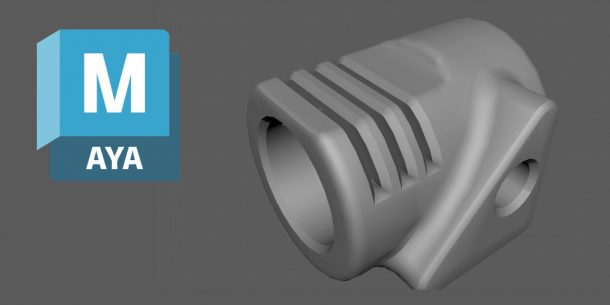
Modeling: quality updates to Smart Bevel
Maya 2027.1 updates Smart Bevel, the new bevel-generation system added in Maya 2027.0.
The changes improve quality of output rather than introducing new features, reducing artifacts on more complex geometry.
Animation: OpemTimelineIO support in Sequencer
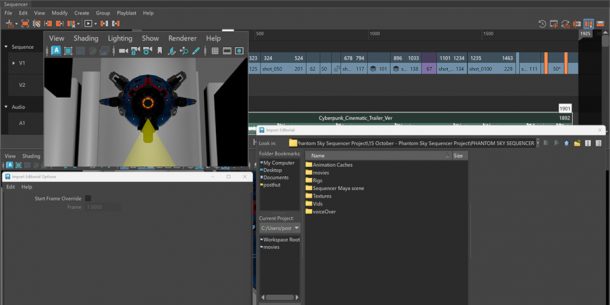
Animators get workflow improvements to the Sequencer editor, particularly to the Playblast controls, zoom behavior, and handling of audio files.
The Sequencer now also supports OpenTimelineIO (OTIO), the new open standard for exchanging editorial cut information between editing and DCC applications.
Maya becomes the latest VFX application to support OTIO, after Nuke, Houdini and Flame.
Animation: workflow updates to MotionMaker
There are also further updates to MotionMaker, the generative animation system introduced in Maya 2026.1, and targeted at creating quick animations for layout and previs work.
This time around, they’re mainly workflow improvements, with frame ranges now displayed on clips and active windows, and new keyboard shortcuts.

LookdevX: new texture projection modes
Outside the core application, LookdevX, Maya’s material authoring and look development plugin, gets support for texture projection, for texturing objects without UVs.
Eight projection modes are available in LookdevX 2.1, including Planar, Spherical, Cylindrical, Cubic and Triplanar projection.
In addition, the Graph Editor now includes a search feature for finding nodes by name.
Bifrost: node search, and improvements to rigid body simulations and rigging
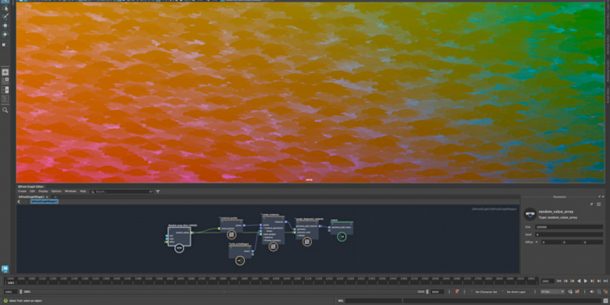
Bifrost for Maya, Maya’s node-based framework for building effects, also gets a new search feature: in this case, for finding where specific nodes are used in the graph.
Other changes in Bifrost 3.1 include new compounds for setting up rigid body simulations, particularly for using instances from one sim to emit into a secondary sim.
Rigs built with Bifrost now support Maya’s Cached Playback system, improving performance.
USD for Maya: better handling of variants
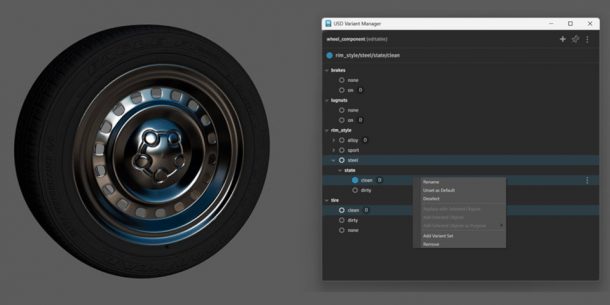
USD for Maya, Maya’s Universal Scene Description plugin, gets improvements to handling of USD variants.
USD for Maya 0.36 supports targeting specific variants – for example, changes to geometry or materials – to receive edits.
It is also now possible to pin pin the USD Variant Manager to its current display to prevent it from updating when changing a selection.
Arnold for Maya: Flow Render cloud rendering
Maya’s integration plugin for Autodesk’s Arnold renderer has also been updated, with MtoA 5.6.1.1 introducing support for the Arnold 7.5.1.1 core.
The main new feature is Flow Render, an experimental new cloud-based rendering system, but the update also adds custom AOVs for volume shaders, and MikkTSpace normal mapping.
You can find more detail in our separate story on Arnold 7.5.1.1.
Maya Creative 2027.1 also released
Autodesk has also released Maya Creative 2027.1, the corresponding update to the cut-down edition of Maya aimed at smaller studios, and available on a pay-as-you-go basis.
It has the same new features as Maya 2027.1, with the exception of Bifrost 3.1.
Price and system requirements
Maya 2027.1 is available for Windows 11, RHEL and Rocky Linux 8.10/9.7, and macOS 14.0+.
The software is rental-only. Subscriptions cost $255/month or $2,010/year.
In many countries, artists earning under $100,000/year and working on projects valued at under $100,000/year, qualify for Maya Indie subscriptions, now priced at $330/year.
Maya Creative is available pay-as-you-go, with prices starting at $3/day, and a minimum spend of $300/year.
Read a full list of new features in Maya 2027.1 in the online documentation
Have your say on this story by following CG Channel on Facebook, Instagram and X (formerly Twitter). As well as being able to comment on stories, followers of our social media accounts can see videos we don’t post on the site itself, including making-ofs for the latest VFX movies, animations, games cinematics and motion graphics projects.