
Blender 5.1 is here: discover its 5 key features
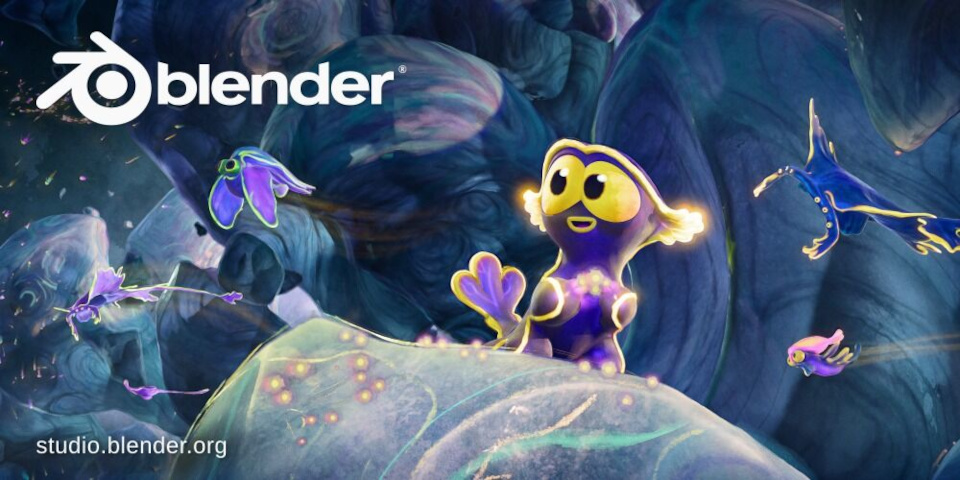
The splash screen art for Blender 5.1: an image from new Blender Studio animation Singularity.
The Blender Foundation has released Blender 5.1, the latest version of the open-source 3D software for VFX, animation, game development and visualization.
By Blender’s standards, it’s an iterative update rather than a revolutionary one, but it’s also typically wide-ranging, with hundreds of feature and workflow updates across the core toolsets.
Below, we’ve picked out five changes that we think are particularly significant, from the new Raycast node to improvements in rendering and animation performance.
At the end of the story, you can find a round-up of the changes to the other core toolsets, including Geometry Nodes and Grease Pencil, as well as to the UI and general workflow.
decals are now possible in mainline blender 5.1 thanks to the raycast node 😀 pic.twitter.com/9cnh1tOkrK
— Late as usual 🏳️⚧️ (@lateasusual_) February 8, 2026
Blender 5.1’s new Raycast node can be used to create a range of render effects, from toon shading and X-ray renders to decal projection setups.
1. New Raycast node creates non-photorealistic render effects
If Blender 5.1 has a breakout feature, it’s probably the new Raycast shader node, available for Eevee, Blender’s real-time render engine.
It’s a general-purpose node that traces the course of a light ray within the scene being rendered, and reports information from the first surface it hits.
But in turn, that makes it possible to create a range of effects that rely on knowing the closest point on a surface from the ray’s source, or how far it is away.
One that got a lot of attention early in Blender 5.1’s development cycle was the decal projection setup above, created by artist Late as Usual, who works at 3D anime firm DillonGoo Studios.
Other examples available as downloadable demo files include a toon shading setup, and an X-ray render effect.
If you plan to use of Raycast, be aware that it’s computationally expensive, so the release notes suggest baking its output to improve render times, if necessary.
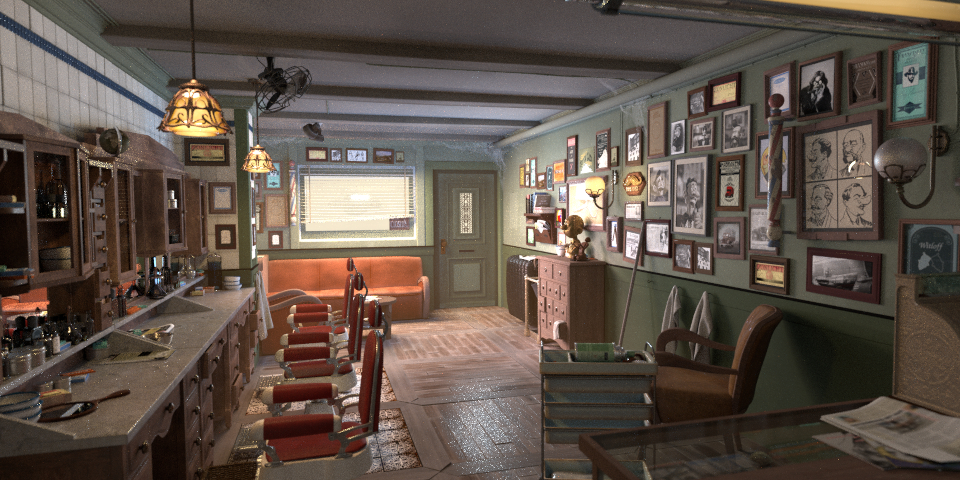
GPU shaders now compile 25-50% faster in the standard Blender Barbershop text scene, on all operating systems: one of several improvements to rendering performance in Blender 5.1.
2. Rendering: speed boosts to Cycles and Eevee
Although there are a number of other new features in the rendering toolsets, arguably the most significant practical change in Blender 5.1 will simply be the increase in rendering performance.
In Eevee, pre-processing the shader sources means that materials compile faster.
On the standard Barbershop benchmark scene, the speed boost is around 25-50%, depending on whether you’re using the OpenGL, Vulkan or Metal backend, although only when compiling cold – if you’ve already cached the shaders, it’s actually slightly slower than Blender 5.0.
Eevee also now saves texture memory by overlapping framebuffer and render textures at different times in a frame: the release notes suggest a saving of 30-40%.
Cycles, Blender’s production renderer, gets a speed boost to both CPU and GPU rendering.
CPU rendering is “5-20% faster”, albeit on Windows only; GPU rendering is “5-10% faster” across a range of hardware and operating systems.
For GPU rendering, hardware ray tracing is now enabled by default when rendering with AMD GPUs using the HIP backend, which makes a significant difference to performance.
The new Gaussian smoothing modifier in the Graph Editor smoothes F-curves non-destructively: one of several new features and performance improvements to animation in Blender 5.1.
3. Animation: complex character rigs evaluate faster
The animation toolset gets a few new features in Blender 5.1, including the new Gaussian smoothing modifier in the Graph Editor.
It smooths animation curves non-destructively – for example, to reduce noise in mocap data – although it’s resource-heavy, so you’re advised not to use it on too many curves at once.
However, as with rendering, the biggest change to day-to-day work may simply be improved performance.
Actions and Shape Keys – blendshapes and morph targets – now evaluate much faster, which should make it easier to work interactively with complex character rigs.
On a 12-core (24-thread) AMD Ryzen 9 9900X CPU, frame rates increase 2.25x to 2.3x when evaluating 2,600-bone armature over 1,000 frames, depending on how many threads are used.
For Shape Key evaluation, frame rates are 2.3x to 4.0x higher on a one-million-vertex mesh.
The new Mask to SDF node turns any 2D shape into a Signed Distance Field, making it possible to create a range of new effects in Blender’s built-in compositor.
4. Compositor: new Mask to SDF node creates soft edge effects
Blender’s built-in Compositor has been updated steadily over recent releases, and Blender 5.1 is no exception.
New nodes include Mask To SDF, which converts a mask to a Signed Distance Field, computing the distance of each pixel from the edges of the mask.
Possible uses range from creating edge glows to eroding or dilating the edges of a mask, and even setting up distance-based effects like procedural blurs.
The Compositor also now supports Blender’s existing Radial Tiling node, and utility nodes including Boolean, Integer, Vector and Index Switch.
Performance has also been improved for several of the key nodes, with Blur, Directional Blur, Vector Blur, Glare, Lens Distortion and Anti-Aliasing now “1.2x to 2x faster”.
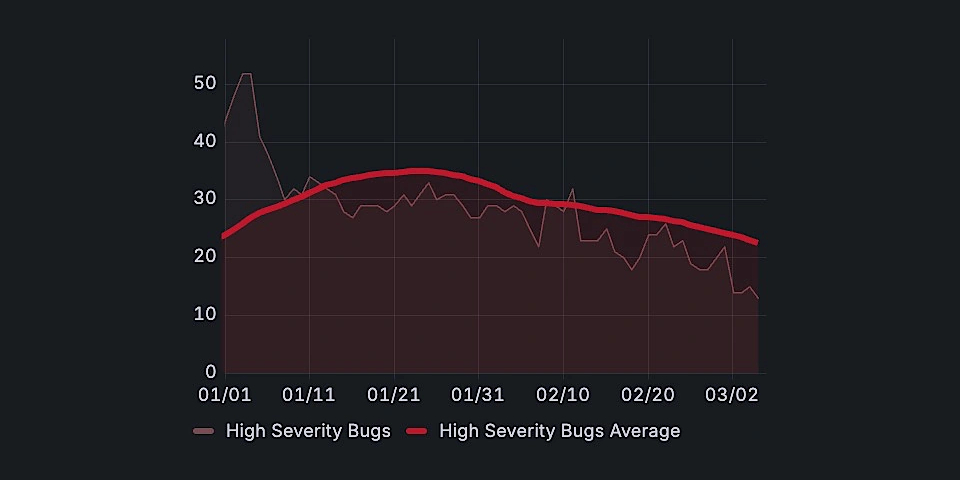
The recent ‘Winter of Quality’ developer drive fixed over 350 reported bugs, particularly to the 3D modeling toolset, the Compositor and Sequencer editors, and the UI.
5. Bugfixes: lots and lots of bugfixes
But as with Blender 4.4, which came out at the same time last year, one of the main aims of Blender 5.1 was simply to make the software more stable and reliable.
This year’s ‘Winter of Quality‘ drive, which ran through December and January, fixed over 350 reported bugs.
The 3D modeling toolset got the most fixes, with 58, although the video tools and the UI came close, with 53 and 50 bugfixes respectively.
The VFX and video tools – the Compositor and Sequencer – also got major code refactors and clean-ups, as did the Cycles render kernels, and the software core itself.
The Grease Pencil toolset gets some significant workflow improvements in Blender 5.1, including better handling of strokes and fills, and new ways to cut holes in shapes.
Other changes: what’s new in the other key toolsets?
Blender’s UI gets just under 100 fixes and feature improvements in Blender 5.1, but one of the most useful will be the option to search for controls by name in the Preferences dialog.
Other changes that stood out for us are the option to resize the quad views interactively by dragging the center point, and to copy and paste nodes between separate instances of Blender.
The 3D modeling tools get a few workflow and performance improvements, including new option to snap to the exact center of a face.
Blender 5.0 made it possible to manipulate volumes with the Geometry Nodes toolset, and Blender 5.1 adds new nodes for dilating, eroding and clipping volume grid.
A new Bone Info node makes it possible to access the position of bones via Geometry Nodes, which could open up new procedural rigging workflows, although that’s still a long way off.
The changes to the Sculpt and Paint toolsets are mainly bugfixes, but there is a new Blur brush.
As the name suggests, it’s a new dedicated brush for blurring surface colors when working in Sculpt mode, rather than having to use the Smear or Paint brushes.
As well as the new Raycast node, Eevee gets new light path intensity controls, making it possible to rebalance direct and indirect lighting without changing sampling settings.
There are also a number of changes intended to bring Eevee back towards feature parity with versions of Blender prior to Eevee next, which we discussed in more detail in this story.
Grease Pencil, Blender’s 2D animation toolset, gets some big improvements in Blender 5.1, including the option to control fills directly, rather than by setting materials on strokes.
It is also now possible to create holes in fills, either by using new operators to perform Boolean-style operations on them, or by using the SVG importer.
The Sequencer video editor gets a lot of small feature and workflow improvements, including a new box gesture in the Blade tool that supports ripple editing.
For virtual reality projects, the arc teleportation system has been “completely rewritten” to make it closer to navigation in modern VR games, and OpenXR is supported on macOS.
New file I/O options include AVIF export, and updates to USD, glTF and FBX export, with FBX files now including Shape Key normals, for better compatibility with game engines.
For pipeline integration, Blender 5.1 now supports Python 3.13 and OCIO 2.5, matching the CY2026 spec for the VFX Reference Platform, although we don’t think it’s fully 2026-compliant.
License and system requirements
Blender 5.1 is compatible with Windows 8.1+, macOS 13.0+ and glibc 2.28+ Linux. It’s a free download. The source code is available under a GPLv3 license.
Read the Blender Foundation’s overview of the new features in Blender 5.1
Read a longer list of new features in the Blender 5.1 release notes
Have your say on this story by following CG Channel on Facebook, Instagram and X (formerly Twitter). As well as being able to comment on stories, followers of our social media accounts can see videos we don’t post on the site itself, including making-ofs for the latest VFX movies, animations, games cinematics and motion graphics projects.