
Unity releases Unity 6.5: discover 5 key features for CG artists
Unity has released Unity 6.5, the latest version of the game engine and real-time renderer.
With most games artists’ attention focused on the release of Unreal Engine 5.8 and Epic Games’ unveiling of Unreal Engine 6, the release slipped out last week without much fanfare.
However, it does make some significant changes, including the deprecation of the old Built-In Render Pipeline and the OptiX denoiser, and updates to the Shader Graph and VFX Graph.
Below, we’ve picked out five of the key changes for CG artists, as opposed to programmers. At the end of the article, you can read a summary of the changes to the other toolsets.
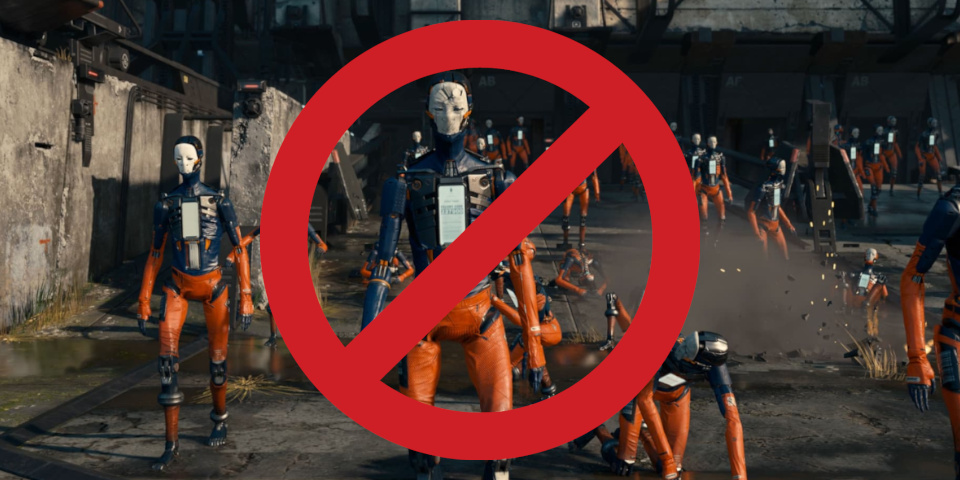
Unity 5.7 deprecates the Built-In Render Pipeline, used on ground-breaking 2016 demo Adam.
1. Rendering: the Built-In Render Pipeline is now deprecated
The biggest change to the Unity’s rendering toolset – albeit one that won’t fully take effect for another year – is that the old Built-In Render Pipeline (BIRP) is now officially deprecated.
Unity announced in February that it will now focus development on the Universal Render Pipeline (URP), with the High Definition Render Pipeline (HDRP) entering maintenance mode.
BIRP will continue to receive fixes until at least Unity 6.7 LTS – due at the end of this year, then supported for another two years – but will eventually be removed.
Unity 5.7 brings new features for converting existing projects to other render pipelines, with improvements to the command-line tool for converting BIRP assets to URP and support in the Render Pipeline Converter for converting shaders from BIRP to HDRP.
HDRP, which Unity describes as “already feature-rich”, is still being made available for new platforms – Unity 5.7 brings it to the Switch 2 – although it isn’t due to get any new features.

2. HDRP: OptiX denoising is now deprecated in favor of OIDN
Another interesting change to the HDRP in Unity 6.5 is that the OptiX denoiser is now deprecated in favor of OIDN.
NVIDIA’s OptiX denoiser was one of the first major GPU-based denoising technologies, and was widely adopted in game engines and offline renderers, but only works with NVIDIA GPUs.
In contrast, Intel’s Open Image Denoise (OIDN), is hardware-agnostic – and, although initially CPU-only, has supported GPU denoising since the release of OIDN 2 in 2023.
Most OptiX-based projects should update to OIDN automatically, although it is a compatibility-breaking change if you use OptiX’s temporally coherent mode with the HDRP path tracer: OIDN isn’t due to support temporal denoising until OIDN 3 is released later this year.
As far as we’re aware, Unity is the first major CG app to deprecate OptiX, but we suspect it won’t be the last: as well as its broader platform support, Unity says that OIDN now outperforms OptiX.
3. URP: on-tile post-processing brings HDR rendering to mobile
In the URP, on-tile post processing is now supported on all hardware platforms.
The workflow applies post effects like HDR, tonemapping, color grading and vignetting to a GPU render tile in a single pass, rather than round-tripping them through system memory.
While HDR rendering was previously possible on mobile, Unity recommended against it.
The change should make it a practical reality, reducing the bandwidth needed for HDR rendering and post effects on Vulkan and Metal devices, to smooth playback.
4. Shader Graph: author custom shader nodes with HLSL
The Shader Graph, Unity’s visual shader authoring environment, gets a number of new features.
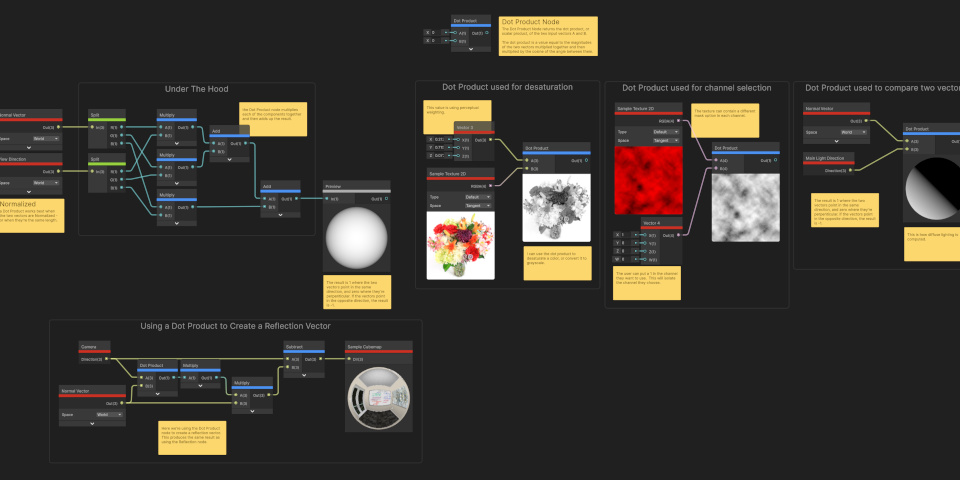
A new shader function reflection API makes it possible for technical artists to write custom nodes for the Shader Graph using the HLSL shading language.
The new Expression node makes it possible to execute complex expressions in a single node, simplifying shader graphs by doing the job of multiple Math nodes in a single node.
In addition, the new Switch node makes it possible to branch a graph to create variants of a shader for different use cases.
5. The 2D toolset: custom lights and shadows, and a new blendshape API
While we don’t usually focus on Unity’s 2D toolset on CG Channel, some of Unity 6.5’s most significant new features are aimed at creating assets for 2D games.
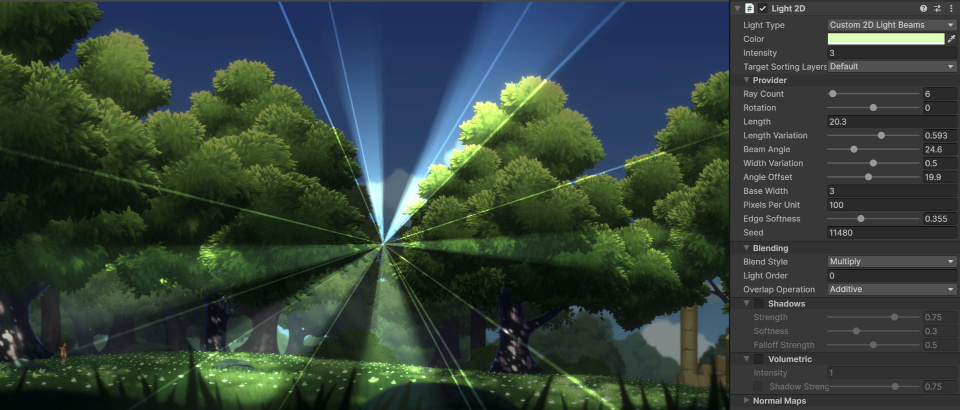
There are now APIs for creating both custom light types and custom shadows, making it possible to create more specialized lighting effects, of the type shown in the image above.
In addition, new BlendShape APIs provide the “foundation” for FFD-based sprite deformation, making it possible to manipulate sprites dynamically using cage-based Free-Form Deformation.
There is also a new 2D module in the Unity Profiler to troubleshoot performance bottlenecks in sprite setups, and a lot of updates to the 2D physics API.
Updates to other core toolsets
Several other key toolsets get workflow improvements in Unity 6.5: notably, the VFX Graph, whose template windows gets new set of search, filtering and sorting options (shown above).
For lighting, a new Lighting Search window, introduced alongside the older Lighting Explorer, makes it easier to locate individual lights in large scenes.
In the animation toolset, the layout of the Animation window has been updated, locating the Animation Clip menu, Playback Controls, and Animation Mode menu above the animation view.
For 3D physics, Unity Physics gets a new Direct Solver for mechanical setups like “complex gearing, chains and ropes [and] XR-based object manipulation and stacking”.
The UI design toolset gets a new Panel Renderer component and experimental USS Stats Profiler in the UI Toolkit, and a Raycast Receiver component in uGUI
Changes to platform support include default support for WebAssembly 2023, performance improvements on Android, and experimental support for the new Swift XCode project type, rearchitecting the layer connecting Unity to Apple platforms like iOS, iPadOS and tvOS.
There are also updates to coding, as Unity continues its transition from Mono to CoreCLR and the audio toolset: you can see a full changelog via the link at the foot of the story.
Price and system requirements
Unity 6.5 is available now. The Unity Editor is compatible with Windows 10+, macOS 13.0+ and Ubuntu 22.04/24.04 Linux.
Free Personal subscriptions are now available for artists and small studios earning under $200,000/year, and include all of the core features.
Pro subscriptions, for mid-sized studios, cost $2,310/year. Enterprise subscriptions, for studios with revenue over $25 million/year, are priced on demand.
Read an overview of the new features in Unity 6.5 on the Unity forum
Read a full list of new features in Unity 6.5 in the online documentation
Have your say on this story by following CG Channel on Facebook, Instagram and X (formerly Twitter). As well as being able to comment on stories, followers of our social media accounts can see videos we don’t post on the site itself, including making-ofs for the latest VFX movies, animations, games cinematics and motion graphics projects.