
Blackmagic Design releases DaVinci Resolve 21.0
A recording of Blackmagic Design’s livestream of its announcements for NAB 2026. You can see the new features in Da Vinci Resolve 21.0 at 01:57:20 in the video.
Originally posted on 14 April 2026 for the public beta, and updated for the stable release.
Blackmagic Design has updated DaVinci Resolve, its free colour grading, editing and post-production software, and DaVinci Resolve Studio, its $295 commercial edition.
DaVinci Resolve 21.0 is a major update, adding a new Photo page to the software.
It makes it possible to use DaVinci Resolve’s existing color correction tools and workflow features on still images as well as video footage, providing an alternative to tools like Lightroom.
To that, DaVinci Resolve Studio 21.0 adds a set of new AI-powered tools, ranging from depth of field and motion deblur to automated blemish removal – and even facial de-aging.
Below, we’ve rounded up the key features for colorists and effects artists, which also include updates to Magic Mask, and major updates to the Fusion page, particularly for motion graphics.
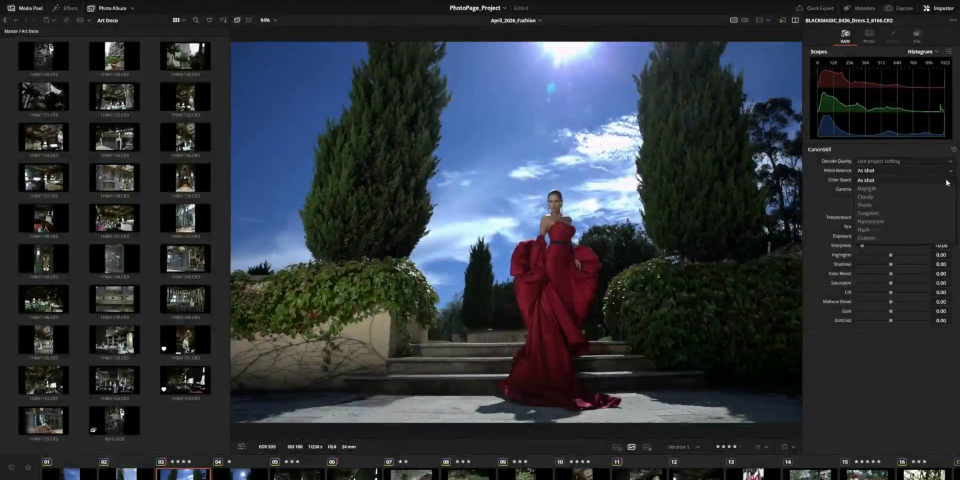
New Photo page transforms Resolve into a photo editor, as well as a video tool
The headline change in DaVinci Resolve 21.0 is the new Photo page, which makes it possible to use the software’s existing functionality on still images as well as video footage.
That primarily means the color correction tools, although the Resolve FX effects plugins and some of the new AI features also have obvious applications to retouching and image editing.
The Photo page is intended to make it possible to work in real time at source resolution, and supports RAW file formats from manufacturers including Canon, Fujifilm, Nikon and Sony.
It looks to be an interesting alternative to tools like Adobe’s Lightroom – from which it can import Catalog files – particularly for photographers who already use Resolve for video work.
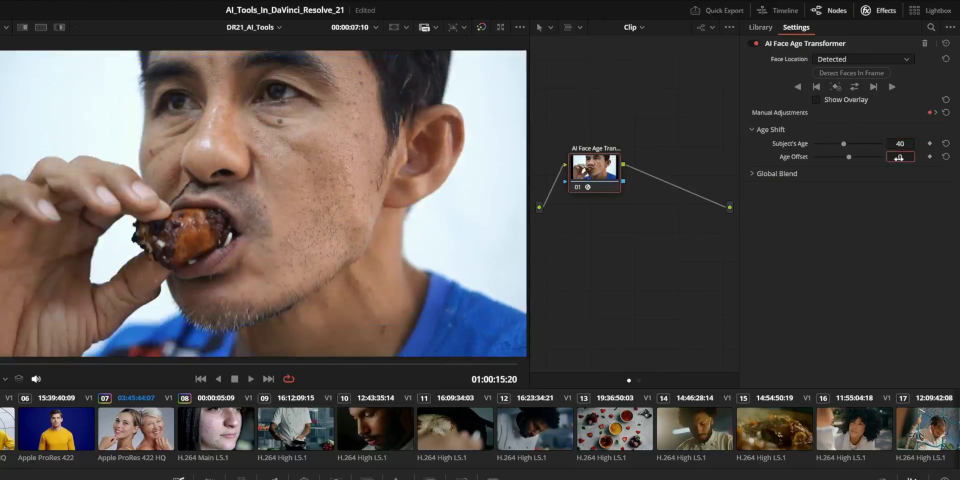
New AI tools for beauty work, including built-in AI de-ageing
The other major change – at least in the Studio edition – is a large set of new AI tools.
The most eye-catching, in more ways than one, are the AI tools for beauty work.
AI Blemish Removal is a handy-looking, but relatively conventional, automated tool for removing spots, blemishes and visible pores from human skin, particularly in facial close-ups.
More surprising is AI Face Age Transformer, which tracks and ages or de-ages faces in video footage, using a simple slider control to offset the subject’s actual and apparent ages.
De-ageing is becoming an increasingly common task in visual effects, but historically required a lot of manual work, involving 3D as well as compositing software.
Blackmagic’s demo only shows a brief clip of AI Face Age Transformer, so it’s hard to tell how it would hold up in production, but a simple off-the-shelf 2D solution could be game-changing.
Even more unusual is AI Face Reshaper, which alters the relative proportions of an actor’s facial features, with separate slider controls for the eyes, brows, nose, and mouth.
It seems to be aimed at more at stylized than naturalistic work, with the launch video describing its uses as “to push a performance, or for comedy or horror”.
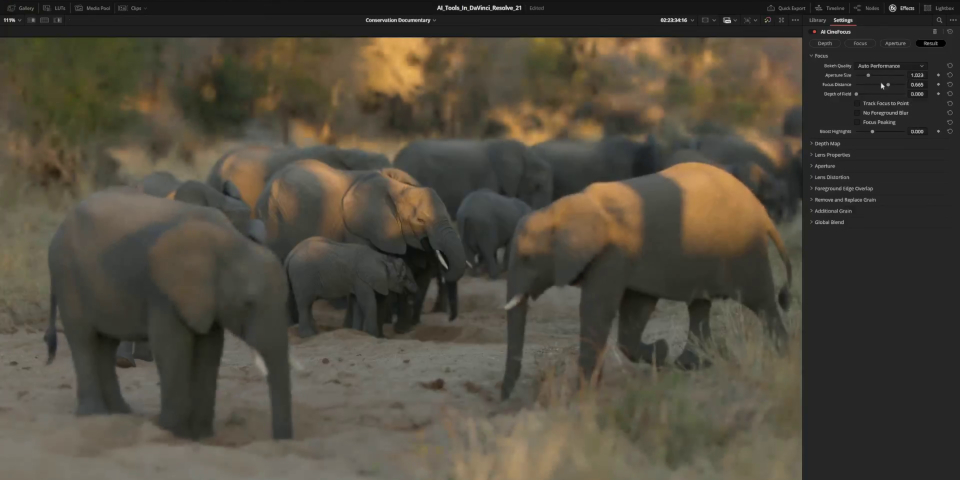
New AI tools for depth of field, deblurring and sharpening
Outside beauty work, there are also a number of general-purpose AI tools.
AI CineFocus makes it possible to set the focal point of a shot simply by clicking in the video frame, then adjusting parameters to control aperture shape and Bokeh effects.
There is also a self-descriptive new AI Motion Deblur tool, and AI UltraSharpen, Resolve’s “most advanced sharpening tool to date”, intended for highly upresed or out-of-focus shots.
Video editors get AI IntelliSearch, which finds clips containing specified objects or people in the media pool, and AI SlateID, which automatically reads metadata off camera slates.
There is also an AI Speech Generator, which turns a script into an voiceover, using one of four readymade AI voice models, or custom voices trained on audio samples supplied to it.

Fusion page: new motion graphics features
The Fusion page, DaVinci Resolve’s built-in compositing toolset, gets a lot of new features, particularly for motion graphics.
Most notably, the popular Krokodove library, which features over 100 tools and effects, including 2D and 3D motion graphics templates, is now integrated directly into Resolve.
In addition, a new Fairlight Animator modifier connects Fusion to Resolve’s Fairlight audio toolset, making it possible to use an audio track to drive a Fusion animation.
Resolve can also now import and display 2D animations in Lottie format, and HTML-based graphics in OGraf format.
The Text+ and MultiText tools now support colored fonts and emojis.
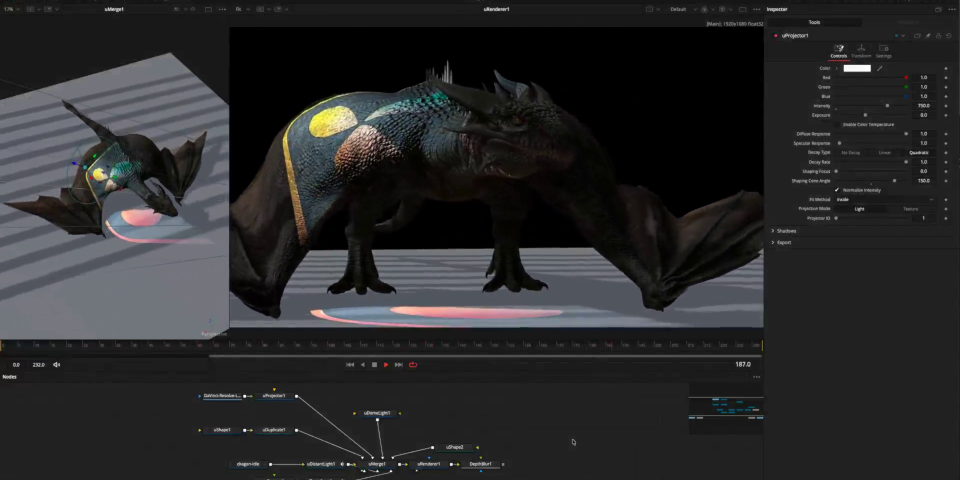
Fusion page: updates to lens distortion, deep compositing and USD workflows
For visual effects work, the Fusion page’s Lens Distort node can now analyze checkerboard grids from single frames of footage, and automatically apply corresponding lens corrections.
The new deep compositing toolset introduced in DaVinci Resolve 20.0 gets “full layer support” and a new dColorCorrector node for color-correcting deep images directly.
The USD toolset introduced in DaVinci Resolve 18.5 gets new options for texture projection, and for rendering holdout mattes.
DaVinci Resolve’s built-in 3D renderer also now supports the Cryptomatte ID matte-generation system, used across a wide range of DCC and visual effects software.
Workflow improvements include a dedicated Macro Editor for creating custom macros, and a MultiInspector button, for editing properties shared across multiple fusion nodes.
Color page: new MultiMaster trim manager and updates to Magic Mask
For color correction work, the Color page gets the MultiMaster trim manager, which makes it possible to set up multiple grade trims from a single timeline.
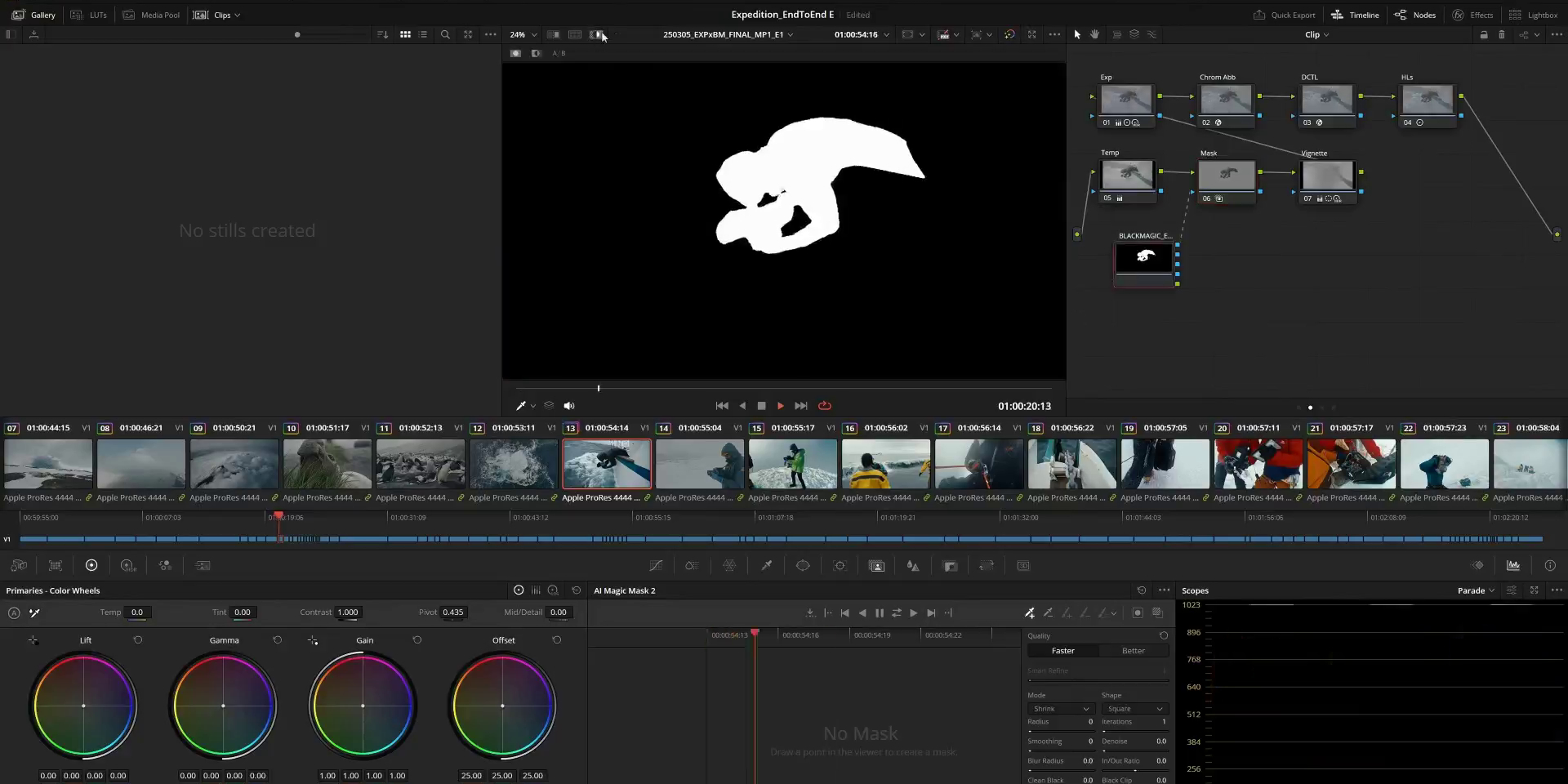
Magic Mask, DaVinci Resolve’s AI-powered tool for automatically isolating people or objects in video footage, gets a new Render in Place option.
It generates an external matte for the object being tracked, which is automatically linked back to the object in the source footage.
According to Blackmagic Design, the workflow speeds up playback, and preserves the matte data even after clearing the cache.
Other changes to the Color page include support for up to eight layers in node stacks, and workflow improvements to Clip groups and HDR scopes.
Other new features and workflow improvements
For video editing, the Cut and Edit pages get a new Resolve FX for picture-in-picture shots.
There are also improvements to multicam workflow, and to keyframing, including four-point bezier controls for retiming footage, and new easing options when looping or reversing shots.
For audio editing, the Fairlight page gets the option to arrange audio tracks into folders.
Performance improvements include support for background rendering for video export and proxy generation, making it possible to continue working interactively while files are rendering.
There are also the usual updates to the video codecs and file formats that DaVinci Resolve supports. You can find a complete list of changes via the links at the foot of the story.
Price, system requirements and release date
DaVinci Resolve 21.0 and DaVinci Resolve Studio 21.0 are compatible with Windows 10+, Rocky Linux 8.6, and macOS 15.0+.
New perpetual licenses of the base edition are free.
New perpetual licenses of the Studio edition, which adds AI features, stereoscopic 3D tools, and collaboration features, cost $295, but the 21.0 update is free to existing users.
Read a full list of new features in DaVinci Resolve 21.0 and DaVinci Resolve Studio 21.0
Have your say on this story by following CG Channel on Facebook, Instagram and X (formerly Twitter). As well as being able to comment on stories, followers of our social media accounts can see videos we don’t post on the site itself, including making-ofs for the latest VFX movies, animations, games cinematics and motion graphics projects.