
Dimension 5 launches D5 Render 3.0 and D5 Lite
Dimension 5 has released D5 Render 3.0, the next major version of its real-time visualization tool and GPU renderer for DCC and CAD software including 3ds Max, Blender and Cinema 4D.
The release adds a new ocean object for adding animated water surfaces to scenes, a volumetric cloud system, and new agentic AI and generative AI features.
Dimension 5 has also officially launched D5 Lite, a lightweight version of D5 Render for early-stage design exploration that integrates directly into SketchUp.
A GPU ray tracing renderer for architectural visualisation
First released in 2021, D5 Render is an increasingly powerful real-time path tracing renderer with linking plugins for a range of DCC and CAD applications.
As well as rendering scenes from a linked DCC app, users can import models in standard file formats like FBX and Alembic, apply PBR materials, and assign HDRIs, lights and LUTs.
Other features include object scattering tools, a weather system, support for volumetric and particle-based effects, and path-based animation tools for crowds or vehicles.
Recent releases have also introduced a range of generative AI tools, including material and background generation, render enhancement and image style transfer.
The software supports DXR-based hardware-accelerated ray tracing on NVIDIA, AMD and Intel GPUs, and is capable of rendering 16K still images, and 4K videos.
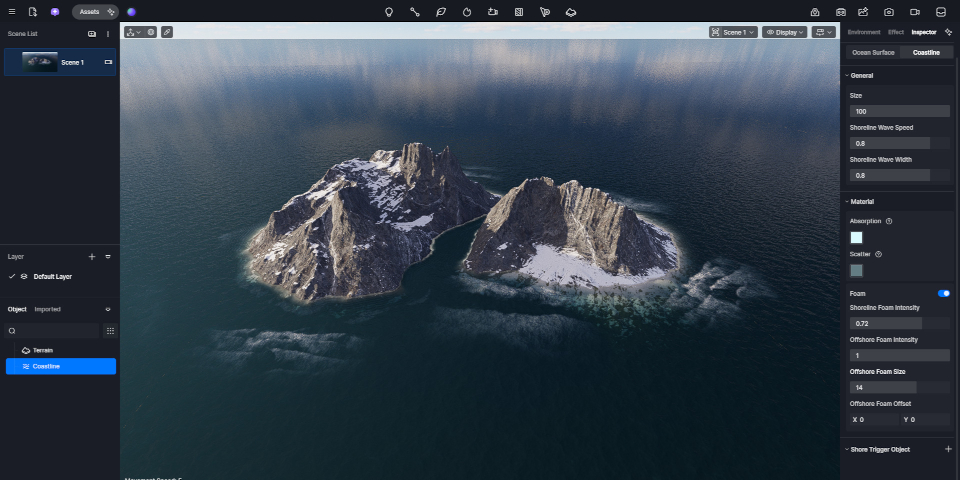
D5 Render 3.0: new Ocean object generates bodies of water, complete with coastlines
Major new features in D5 Render 3.0 include the new Ocean object, which adds an animated water surface to a scene.
Users can adjust the sea level, the scale and speed of the waves, and the look of the water material itself, using a simple set of control parameters.
One interesting feature is automatic coastline generation, with D5 Render detecting the intersection between the ocean surface and terrain, and generating nearshore waves and foam.
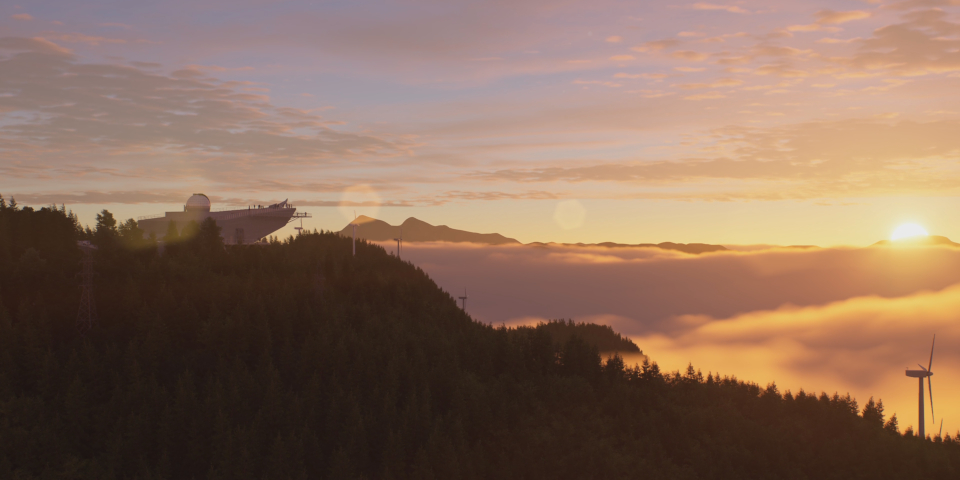
New volumetric clouds system and experimental true displacement model
Other major new scene creation and rendering features include the volumetric clouds system.
Users can adjust the look of the clouds via parametric controls, or work from presets for common cloud types, like cumulus, stratus, cumulonimbus and cirrus.
There are also updates to existing features like volumetric fog – which gets new controls, including base height – and Geo Sky.
Users also get a new True Displacement option for materials which represents surface relief more accurately than the existing parallax displacement, at the cost of increasing render time.
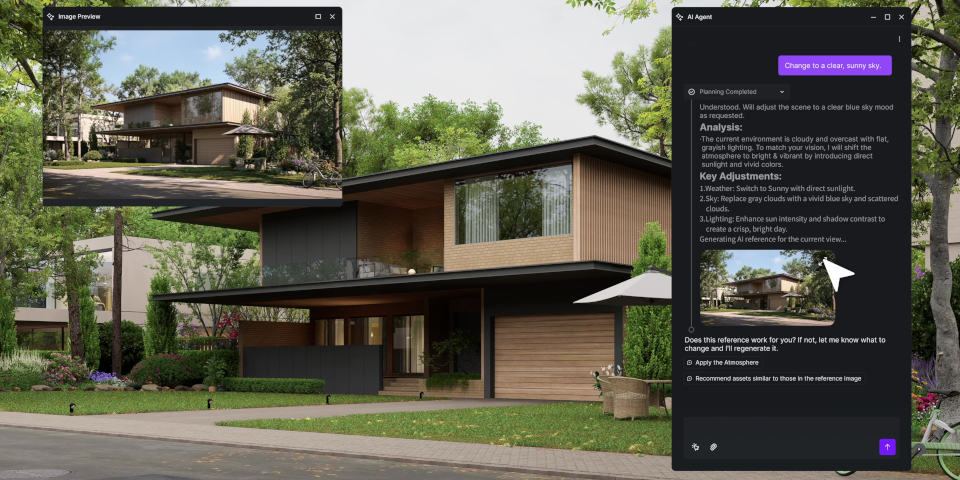
New AI features, including image-to-3D model generation
D5 Render 3.0 also extends the software’s AI toolsets, with the text-to-3D generative AI system introduced in D5 Render 2.7 now joined by image-to-3D.
Users can upload reference images of a real-world object – the system supports up to three images from different angles – to have D5 render generate a corresponding 3D model.
The general-purpose AI Agent introduced in D5 Render 2.11 gets two new options: Scene Match (shown above) and Asset Recommendation.
Scene Match performs edits on a scene – examples given by Dimension 5 include “adjusting the scene to an autumn dusk look” – in response to natural-language commands.
Asset Recommendation is an AI search system that returns models from an asset library matching natural-language descriptions or reference images.
Experimental support for importing Gaussian Splats
Other changes in D5 Render include an experimental option to import 3D Gaussian Splats into the software in .ply or .gs format.
D5 Render’s existing 3DGS capabilities are geared to converting rendered scenes into splats, to create a version of the scene that can be viewed in 3D in a web browser.
The option to import splats would open up a more conventional workflow, in which splats are used as part of the scene itself: for example, as 3D reconstructions of a real-world environment.
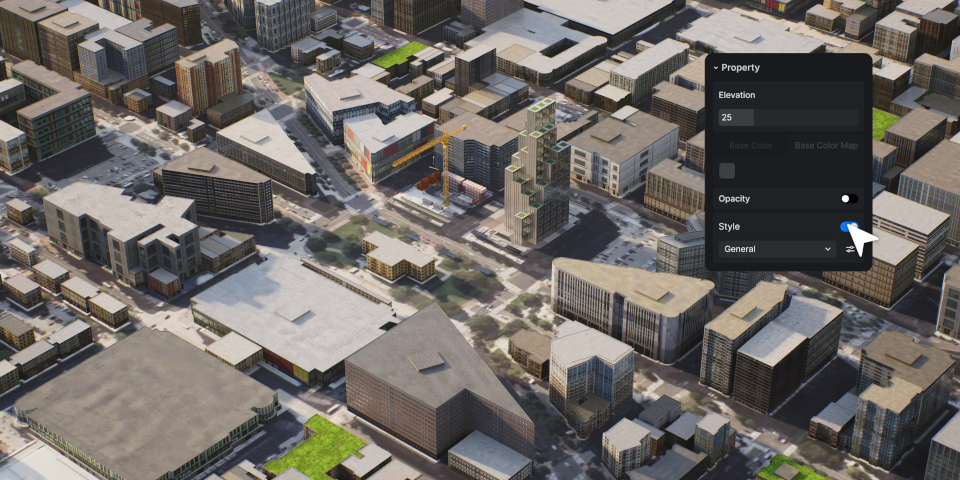
Other changes
D5 Render 3.0 also features a lot of smaller feature updates and workflow improvements.
Changes include a new Free mode for navigating 3D scenes, a Resolution control for HDRI environments, and support for CMYK texture maps.
For users with Pro subscriptions, the city generator introduced in D5 Render 2.10 gets support for procedural building generation, rather than using simple geometric forms.
The Cesium integration and Spatial Tour and XR Tour features, previously only available with Teams subscriptions, are also now available with Pro subscriptions.
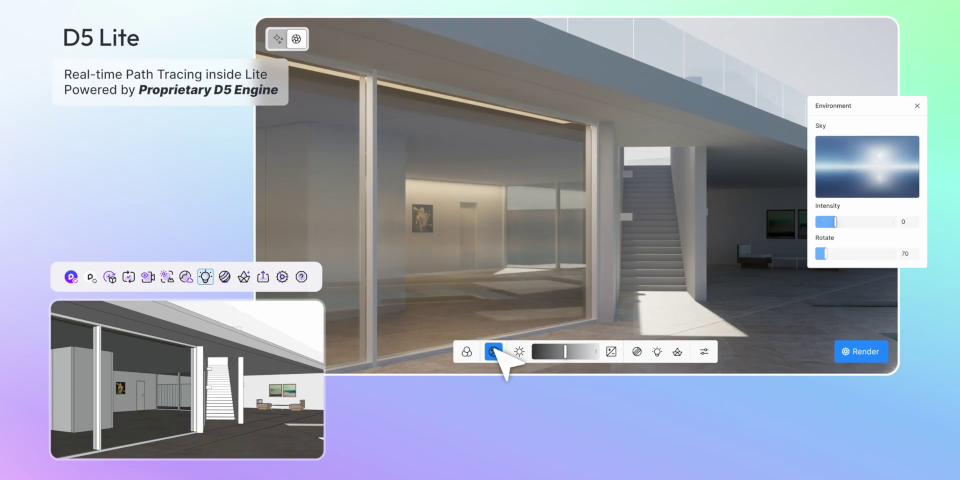
D5 Lite: new lightweight edition for SketchUp users
In related news, Dimension 5 has also launched D5 Lite, a new integrated edition of the software for SketchUp users.
Like Lumion View, the corresponding edition of Lumion, it’s a lightweight tool intended for early-stage work on a project, enabling SketchUp users to visualize materials and lighting more easily.
But unlike Lumion View, it operates in two modes: Real-Time Rendering and AI Generation.
In Real-Time Rendering mode, D5 Lite operates as a conventional SketchUp rendering plugin.
But in AI Generation mode it acts as a cloud-based AI render engine, generating a final-quality image based on a screenshot of the SketchUp viewport.
Dimension 5 plans to release versions for 3ds Max, Revit and Rhino in future.
Price and system requirements
D5 Render 3.0 is available for Windows 10+. It requires a compatible GPU: Dimension 5 recommends a NVIDIA GeForce GTX 1060+, AMD Radeon RX 6400 XT+ or Intel Arc A3+.
Integration plugins are available for 3ds Max 2014-2016 and 2018+, ArchiCAD 21+, Blender 2.93+, Cinema 4D R20-2025, Revit 2018.3+, Rhino 6.1+, SketchUp 2020.1+ and Vectorworks 2024+.
The Community edition of D5 Render is free; Pro subscriptions, which include AI features, more rendering and XR options, and access to the full asset library, costs $38/month or $360/year.
Teams subscriptions, which add further features, including simultaneous editing, cost $75/month or $708/year.
D5 Lite is compatible with SketchUp 2021-2025. The base edition is free, but limits AI usage to 50 free render attempts; the version for paid subscribers provides unlimited AI rendering.
Read a full list of new features in D5 Render 3.0 in the online release notes
Have your say on this story by following CG Channel on Facebook, Instagram and X (formerly Twitter). As well as being able to comment on stories, followers of our social media accounts can see videos we don’t post on the site itself, including making-ofs for the latest VFX movies, animations, games cinematics and motion graphics projects.