
Maya 2027.2 lets you train your own AI animation models
Posted on 22 July 2026, and updated with more details of the AI model training process.
Autodesk has released Maya 2027.2, the next major version of its 3D modeling and animation software for visual effects, games and motion graphics work.
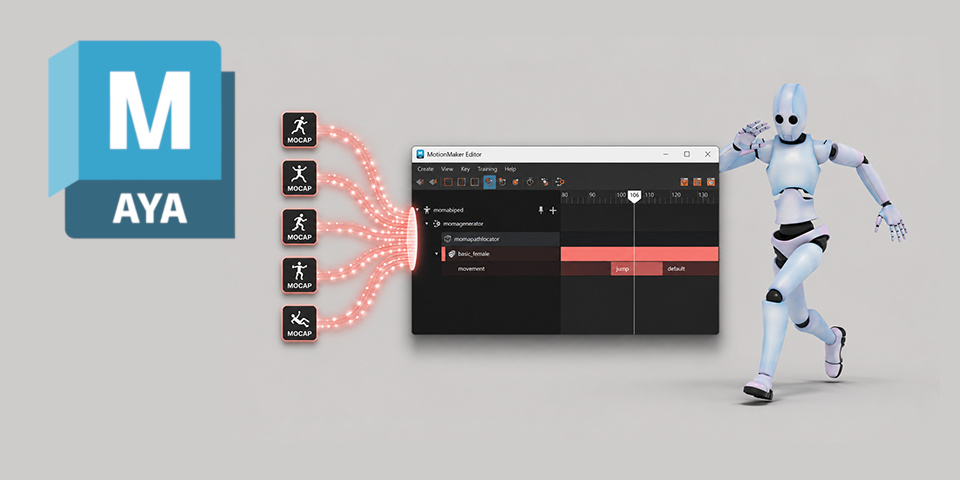
The update makes it possible to train your own custom AI models for MotionMaker, Maya’s generative animation system, from either source motion-capture or keyframe animation data.
Autodesk has also released Maya Creative 2027.2, the corresponding update to the cut-down edition of Maya for smaller studios.
Animation: train your own AI models for MotionMaker
The main change in Maya 2027.2 is the ability to train your own AI models for MotionMaker, the software’s generative AI animation system.
Introduced in Maya 2026.1, MotionMaker generates motion cycles for humans, dogs and – most recently – horses, initially for layout and previs work.
Until now, you had to use readymade AI models provided by Autodesk, but Maya 2027.2 makes it possible to create your own custom AI models: a process Autodesk calls Bring Your Own Data.
Custom models can be trained on either motion-capture data or keyframe animation data, for both bipeds and quadrupeds, and training is done locally on the user’s machine.
So how is training done, and how long does it take?
The process requires setting up a 3D character following Autodesk’s new standard character definition, to which the source animations can be retargeted, and tagging frame ranges within the data in which particular animation ‘styles’ – like walking or jumping – occur.
The trained model can then be used in MotionMaker as normal, and can be rebuilt if there are any major changes to the source data, or the character to which the AI animation will be applied.
The time taken to train an AI model depends on the complexity of the character rig, the volume of training data, and the number of experts and epochs (training iterations) used.
It also depends on your hardware: it’s faster on NVIDIA GPUs.
Autodesk told us that on a Windows laptop with a NVIDIA RTX A2000 GPU, training 40 minutes of data on the Autodesk biped, with 65 epochs and 20 experts, took around seven hours.
Suitable for crowd characters as an alternative to off-the-shelf solutions
According to Autodesk, animations generated with custom AI models have more individual, consistent character personality – preserved from the original animations or mocap data – than those created using the readymade AI models, or with stock mocap clips.
Artists at Sheridan College’s Screen Industries Research and Training Center, which tested the system during its development, suggest that it is better suited to crowd than hero characters, but that it is a good fit for smaller studios without the budget to do large mocap shoots.
3D modeling: performance updates to Smart Bevel
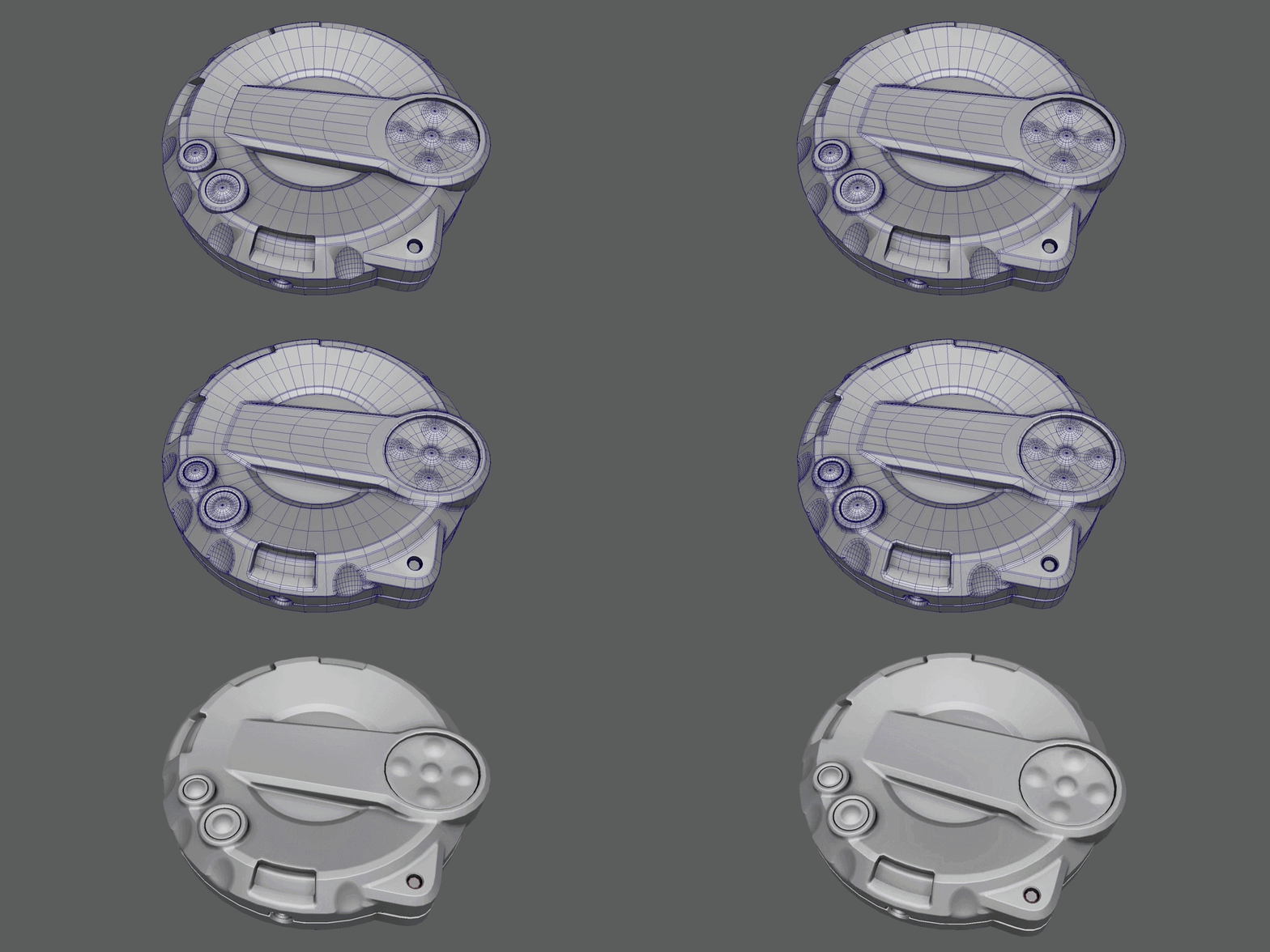
Aside from that, the only major change to the core software is an update to the new Smart Bevel system introduced in Maya 2027.
According to Autodesk, it now processes results “up to 20x faster with 22x less memory consumption”.
USD for Maya: new features for managing asset paths
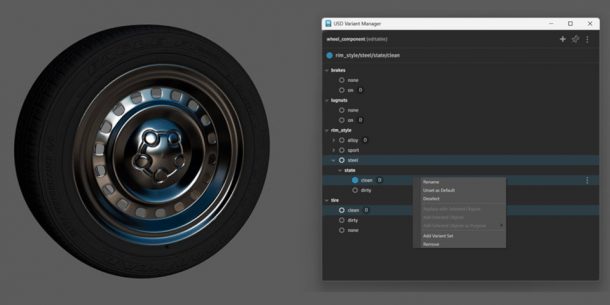
USD for Maya, Maya’s Universal Scene Description plugin, gets new diagnostic features for managing and troubleshooting asset paths.
USD for Maya 0.37 also features improvements to layer management and component building, including the option to build components directly from USD prims selected in the Outliner.
A 3D Gaussian Splat, being relit and rendered inside Arnold.
Arnold for Maya: support for 3D Gaussian Splatting
Maya’s integration plugin for Autodesk’s Arnold renderer has also been updated, with MtoA 5.6.2 introducing support for the Arnold 7.5.2 core.
It’s a major update to Arnold, which gets support for importing, relighting and rendering 3D Gaussian Splats, along with updates to toon shading and render denoising.
You can find more detail in our separate story on Arnold 7.5.2 itself.
However, unlike 3ds Max 2027.2, which was also released today, Maya itself doesn’t get new native tools for manipulating Gaussian Splats: the only changes are to Arnold.
Maya Creative 2027.2 also released with the same features
Autodesk has also released Maya Creative 2027.2, the corresponding update to the cut-down edition of Maya aimed at smaller studios, and available on a pay-as-you-go basis.
It has all of the same new features as Maya 2027.2, including the update to MotionMaker.
Price and system requirements
Maya 2027.2 is available for Windows 11, RHEL and Rocky Linux 8.10/9.7, and macOS 14.0+.
The software is rental-only. Subscriptions cost $255/month or $2,010/year.
In many countries, artists earning under $100,000/year and working on projects valued at under $100,000/year, qualify for Maya Indie subscriptions, now priced at $330/year.
Maya Creative is available pay-as-you-go, with prices starting at $3/day, and a minimum spend of $99/year, down from $300/year since we last wrote about the software.
Read a full list of new features in Maya 2027.1 in the online documentation
Have your say on this story by following CG Channel on Facebook, Instagram and X (formerly Twitter). As well as being able to comment on stories, followers of our social media accounts can see videos we don’t post on the site itself, including making-ofs for the latest VFX movies, animations, games cinematics and motion graphics projects.