
Discover 5 key features for CG artists in Godot 4.7
The Godot team has released Godot 4.7, the latest version of the open-source game engine.
As ever, there are hundreds of new features, but below, we’ve picked out five of significance to CG artists, as opposed to programmers, including updates to lighting and rendering.
At the end of the story you can find a quick summary of the other key changes.
And in related news, EA’s Battlefield Studios has become the latest Corporate Platinum sponsor of the Godot Development Fund – and Godot’s first AAA backer. You can find more details here.
1. Lighting: rectangular area lights mimic windows and screens
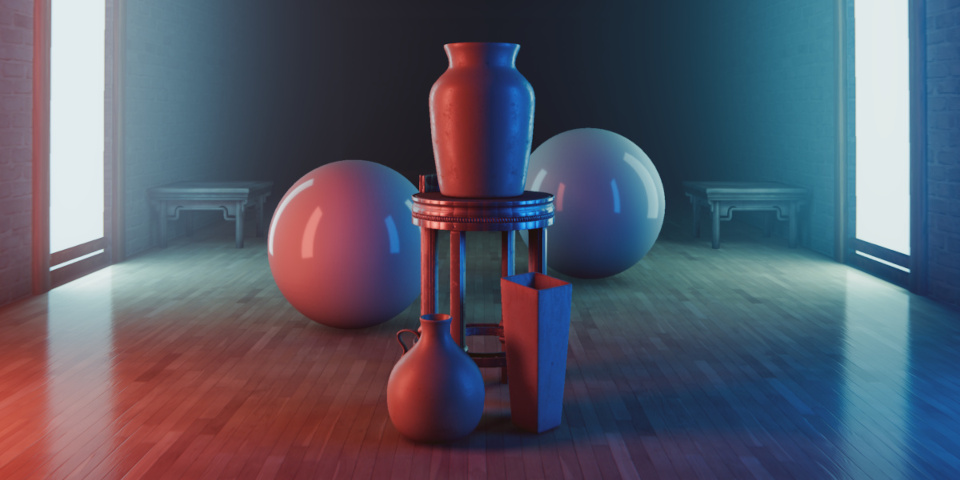
One of the most eye-catching features in Godot 4.7 is AreaLight3D, a new node for creating rectangular light sources.
It recreates lighting from windows or TV screens directly, without the need for an emissive material applied to geometry, generating softer shadows and more realistic reflections.
The implementation supports volumetric fog and material effects like subsurface scattering, and it is possible to texture the light quad to create gobo effects.
2. Rendering: render HDR footage to desktop and iOS devices
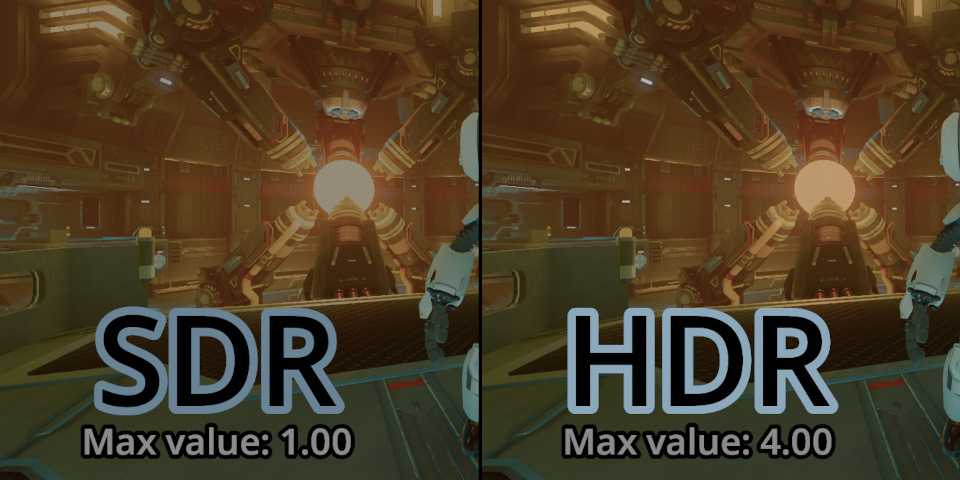
Although Godot has supported High Dynamic Range (HDR) for internal calculations for some time, it wasn’t previously possible to render a Godot project in HDR.
Godot 4.7 changes that, making it possible to display a greater tonal range – darker shadows and brighter highlights – than possible with the existing SDR output node.
HDR output is supported on desktop systems (Windows, macOS and Wayland Linux), plus iOS devices and Apple’s Vision Pro headsets.
(Ironically, CG Channel’s content-management system doesn’t support HDR image formats, so we’ve had to reduce the image above to a very-much-not-HDR JPEG, but you get the idea.)
3. Workflow: rotate 3D objects intuitively with trackball-style navigation
Godot 4.7 features a number of workflow improvements, but one nice one is the options to rotate 3D nodes more intuitively with trackball-style navigation.
The 3D transform gizmo now works more like the one in Blender
Hovering the mouse cursor inside a 3D transform gizmo and dragging on the translucent sphere begins a three-axis trackball rotation, similar to Blender’s Transformation gizmo.
4. Workflow: better snapping to colliders and vertices
There are also updates to snapping behavior in the 3D Editor, making it possible to position 3D objects more precisely in a scene.
Support for Vertex Snapping makes it possible to select a vertex on one mesh, then drag to a vertex on a second mesh, snapping the two together.
Path3D points can now snap to colliders.
5. Workflow: Focus Selection now makes the 3D editor follow a moving object
Another workflow change that caught our eye is that activating the existing Focus Selection shortcut twice makes the Godot Editor follow a moving object.
For lighting workflows, that makes it possible to preview how scene lighting affects an object as it moves across the scene; for previewing animation, it keeps the object being animated in view.
Other changes, performance improvements and platform support
For 3D artists, other changes in Godot 4.7 that affect day-to-day workflow include:
• The new DrawableTexture2D API layer makes it possible to paint directly only a texture.
• Clearcoat materials like car paint are now closer to the Disney principled shader model.
• Shaders authored using the shader text editor can now be previewed directly inside the editor.
• 3D particles are now easier to scale and rotate.
• 3D rendering is now faster because each pass has its own unique environment uniform buffer.
There are also updates to the 2D and UI design toolsets, to the Project Manager and Script Editor, and a lot of updates to Android development workflows.
For XR projects, the update introduces support for Valve’s upcoming Steam Frame headset.
License and system requirements
Godot 4.7 is compatible with Windows, Linux and macOS. There are also browser-based and Android ports of the Godot Editor.
The source code is available under a MIT license
Read a full list of new features in Godot 4.7 on the Godot team’s blog
Download Godot from the game engine’s website
Have your say on this story by following CG Channel on Facebook, Instagram and X (formerly Twitter). As well as being able to comment on stories, followers of our social media accounts can see videos we don’t post on the site itself, including making-ofs for the latest VFX movies, animations, games cinematics and motion graphics projects.