
Blackmagic Design releases DaVinci Resolve 21.1
Blackmagic Design has updated DaVinci Resolve, its free colour grading, editing and post-production software, and DaVinci Resolve Studio, its $295 commercial edition.
Despite being a free update, DaVinci Resolve 21.1 is a significant release, with over 100 new tools, including a MCP server to connect the software to external AI tools like Claude and Codex, making it possible to control the software by entering natural-language commands.
Below, we’ve rounded up the key features for colorists and VFX artists, which include updates to HDR grading workflow, and 25 new Krokodove tools for creating motion graphics and titles.
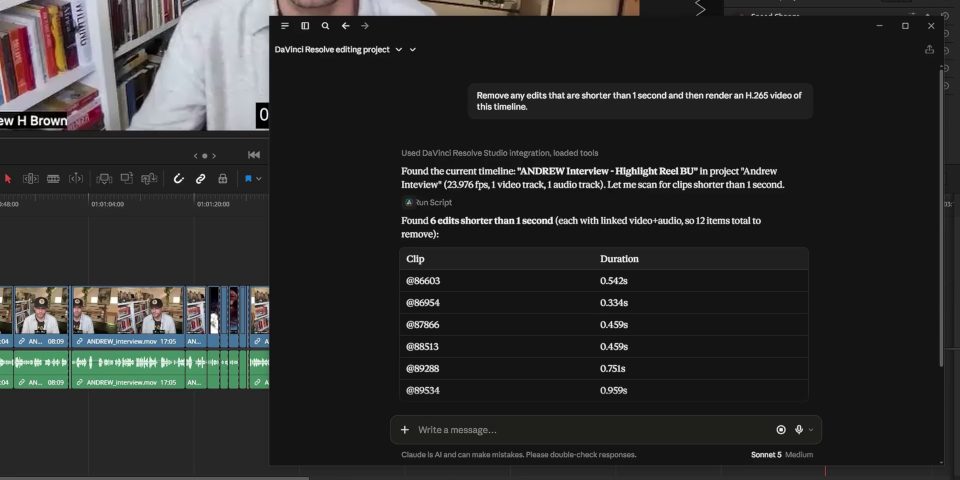
New MCP server lets you control DaVinci Resolve with external AI tools
BlackMagic Design becomes the latest CG application to introduce a MCP server, making it possible to connect the software to external AI tools like Claude and ChatGPT Codex.
In turn, that makes it possible to control DaVinci Resolve by entering natural-language commands in the AI tool, rather than having to locate commands and make changes manually.
Suggested use cases range from automating repetitive tasks like organizing media or updating project settings to actual editing: for example, creating a highlights reel from a longer video.
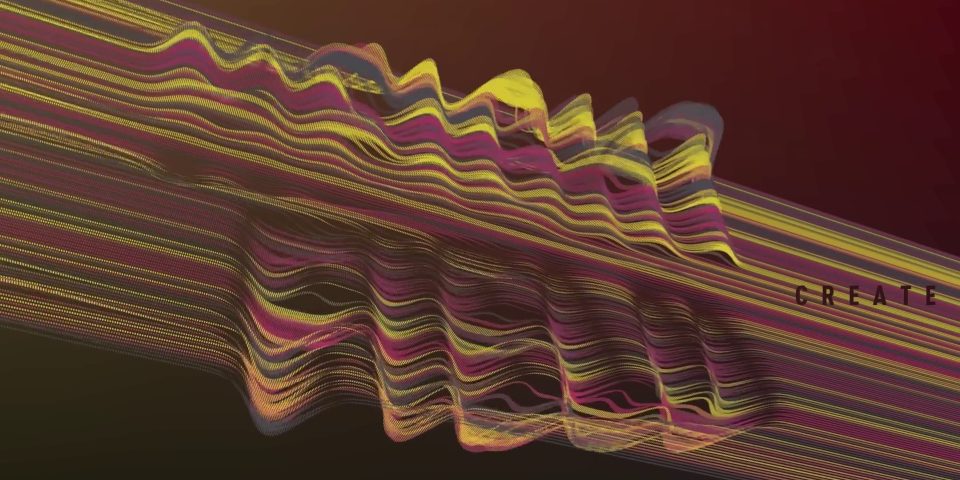
Fusion page: over 25 new Krokodove tools for motion graphics
The Fusion page, DaVinci Resolve’s built-in compositing toolset, gets a lot of new features in the update, for both motion graphics and VFX.
For motion graphics, the Krokodove library – integrated into the software in DaVinci Resolve 21.0 – gets over 25 new tools, primarily for creating 2D shapes and 3D forms.
For 2D work, that means a new sPrimitive Create node for creating more complex primitive shapes like crosses and stars, and a set of “advanced edge manipulation tools”.
For 3D work, new nodes include Connect3D, for connecting vertices with networks of lines; HeightFieldCreate3D, for using bitmap images to deform 3D planes; and TubeCreate3D, for creating networks of tubular forms.
There are also new utility tools for defining and isolating regions of a 3D environment.
In addition, the Fairlight Animator modifier – added in DaVinci Resolve 20.0 for creating audio-driven graphics – gets new High Pass and Low Pass filters.
The MultiText tool, for creating on-screen text, gets new options for aligning text layers.
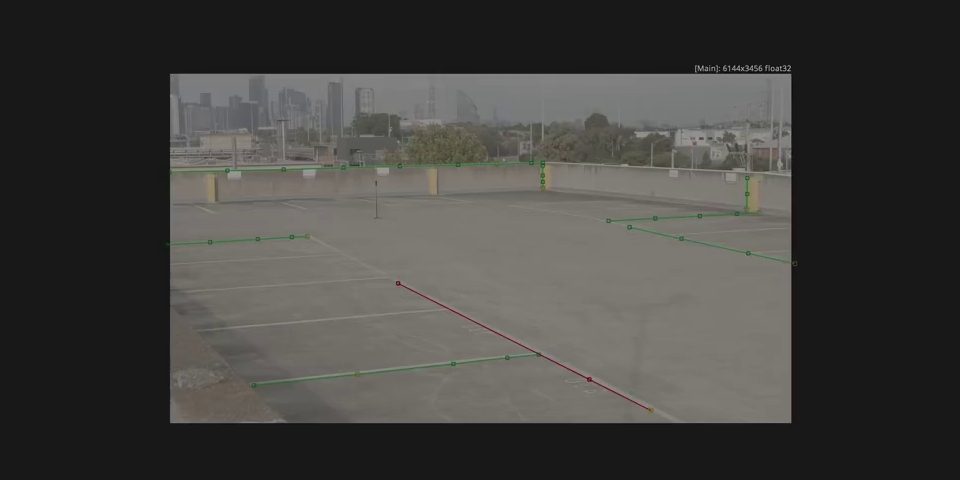
Fusion page: updates to lens calibration, deep compositing and camera tracking
VFX artists get a new calibration mode in the Lens Distort tool, Fusion Division Radial, which makes it possible to calibrate by drawing lines along straight edges of objects in a frame.
The Camera Tracker gets the option to import tracks generated in other software, and new controls for trimming tracks, and changing the reference frame.
There are also several updates to the new deep compositing toolset added in DaVinci Resolve 20.0, including support for flipbook previews of deep images, and a new Hard Mix blend mode.
The Renderer3D renderer gets support for motion blur and matte objects when running in deep mode, and “up to 8x faster” hardware-accelerated deep renders.
The update also adds support for a new VFX industry standard: OpenPBR material shaders.
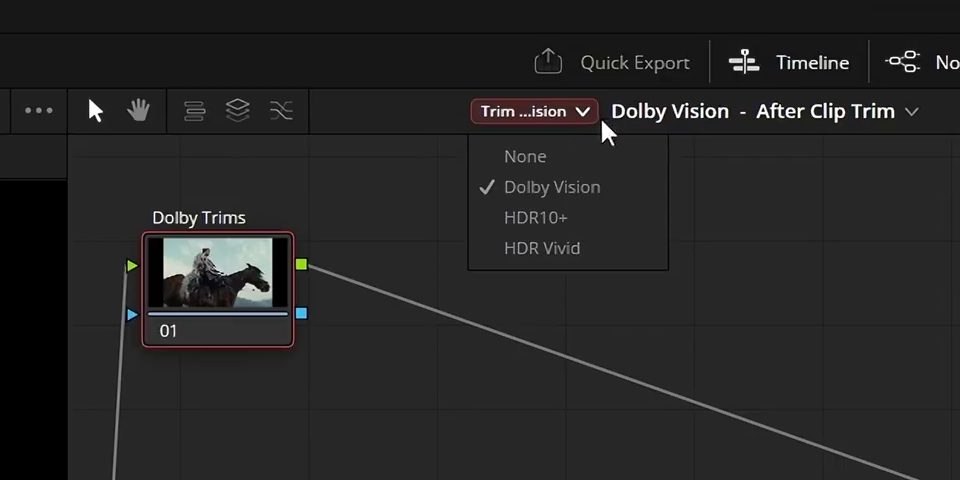
Color page: new HDR grading options and ResolveFX Panomap
The Color page‘s MultiMaster Trim manager now supports individual passes for Dolby Vision, HDR10+ and HDR Vivid, making it possible to grade for each HDR format individually.
In addition, colorists get access to the ResolveFX Panomap node, for working with spherical and hemispherical footage.
There are also a number of smaller workflow updates and support for new color profiles, including DJI D-Gamut2 and D-Log2, Leica L-Log IDT and LUT, and GoPro Log.
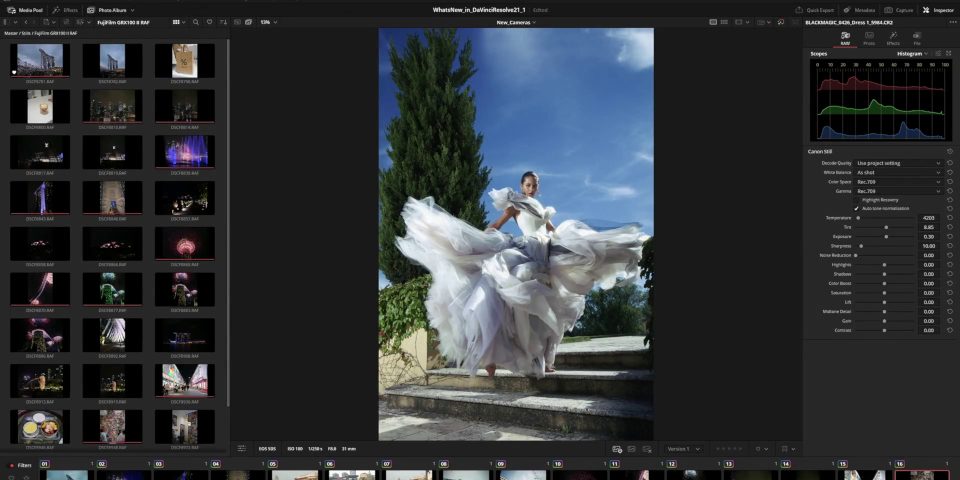
Photo page: support for new control hardware and camera models
The new Photo page, which makes it possible to use DaVinci Resolve’s existing functionality on still images as well as video footage, gets its first update.
It can now be controlled using all of Blackmagic Design’s compatible hardware control panels, and supports more camera formats, including Fujifilm’s GFX and X Series, Leica’s SL-System, and additional Sony Alpha models.
Users also gain access to the ResolveFX Sky Replacement tool, for automatically isolating and replacing the sky in images.
Other new features and workflow improvements
DaVinci Resolve 21.0 also features a lot of updates to the software’s other key toolsets, including the Media Page, Cut and Edit pages, and scripting API.
We don’t cover editing on CG Channel, but you can find more details via the links below.
The update also introduces native support for NVIDIA’s RTX Spark ‘superchips’, more options for GPU-accelerated decoding on NVIDIA GPUs, and haptic feedback on Windows.
Price, system requirements and release date
DaVinci Resolve 21.1 and DaVinci Resolve Studio 21.1 are compatible with Windows 10+, Rocky Linux 8.6, and macOS 15.0+.
New perpetual licenses of the base edition are free.
New perpetual licenses of the Studio edition, which adds AI features, stereoscopic 3D tools, and collaboration features, cost $295, but the 21.1 update is free to existing users.
Read a full list of new features in DaVinci Resolve 21.1 and DaVinci Resolve Studio 21.1
Have your say on this story by following CG Channel on Facebook, Instagram and X (formerly Twitter). As well as being able to comment on stories, followers of our social media accounts can see videos we don’t post on the site itself, including making-ofs for the latest VFX movies, animations, games cinematics and motion graphics projects.