
Adobe releases After Effects 26.5 and new AI Assistant in beta
Adobe has released After Effects 26.5, the latest version of the compositing software for motion graphics, post-production and VFX work.
It’s a workflow and performance update, adding support for disk caching to the Object Matte tool, and improving workflow when working with on-screen guides.
However, Adobe has also released a new beta build of the software that adds a completely new feature: an agentic AI Assistant, for controlling the software via natural language commands.
Other current beta features include the option to apply Substance materials to 3D text and shapes, and to use layers in a composition as material sources.
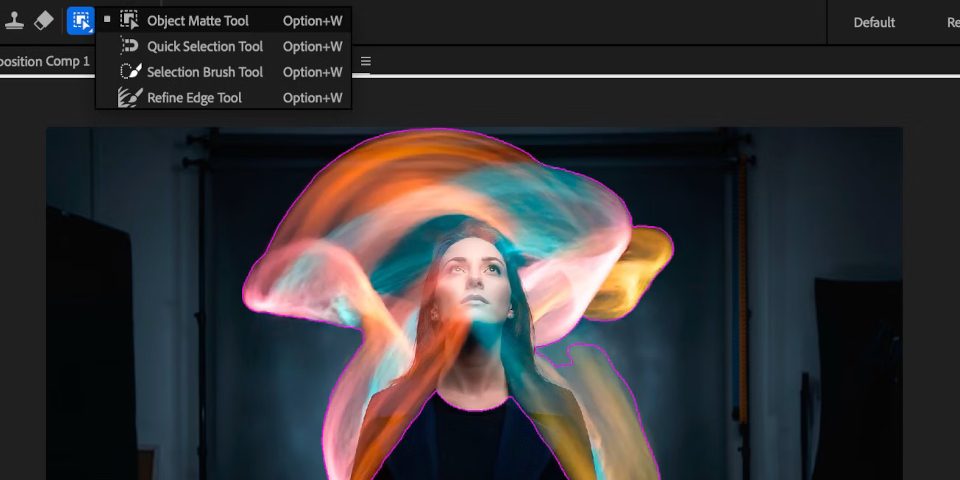
After Effects 26.5: Object Matte supports disk caching
After Effects 26.5 itself doesn’t add any major new features to the software, instead improving the performance of existing features.
Object Matte, the AI-powered automatic rotoscoping tool added in After Effects 26.2, now supports disk caching, preserving the results even after a project is closed.
As well as removing the need to recalculate a matte from scratch each session, the change should improve interactive performance when calculating a matte for the first time, as After Effects no longer needs to hold every propagated frame in memory, freeing up RAM.
After Effects: workflow improvements to guides and the Effect Controls panel
In addition, After Effects 26.5 improves workflow when using on-screen guides in the Composition, Layer and Footage panels, adding support for percentage-based positioning.
It is now also possible to pin guides to the bottom and right edges of a panel, as well as to the top and left; and to set guide color on a per-guide basis.
The Effect Controls panel has been “modernized”, with specific changes including the option to assign color labels to individual effects instances on layers.
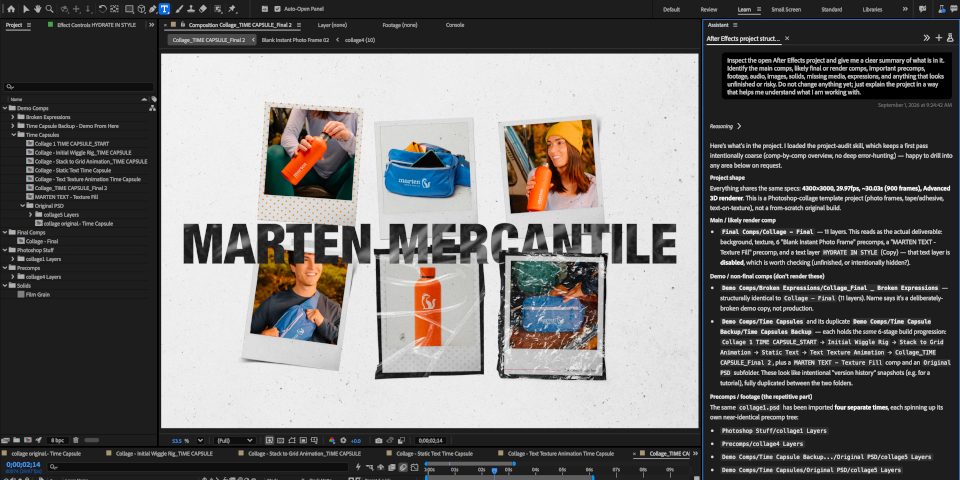
In beta: new agentic AI Assistant lets you control After Effects with text prompts
Adobe has also released a separate beta build of After Effects that adds an agentic AI Assistant.
It makes it possible to control After Effects by entering detailed natural-language instructions for the Assistant to follow.
The Assistant then carries out the commands, and reports back on its progress, as you can see in the text log in the image above.
As well as simply smoothing the learning curve for new After Effects users – who no longer need to know where tools are located in the interface, or even that the tools exist – Adobe pitches the AI Assistant as a way to automate tedious or technical tasks.
Suggested uses cases inspecting compositions or footage provided by collaborators on a project, with the Assistant returning an automatic summary of the material.
It can also be used to write code: Adobe pitches it as a way for non-technically minded artists to write custom JavaScript expressions for motion graphics work.
The news makes After Effects the latest Adobe application to get an AI Assistant: equivalent features were rolled out in beta in Photoshop and Premiere Pro in June.
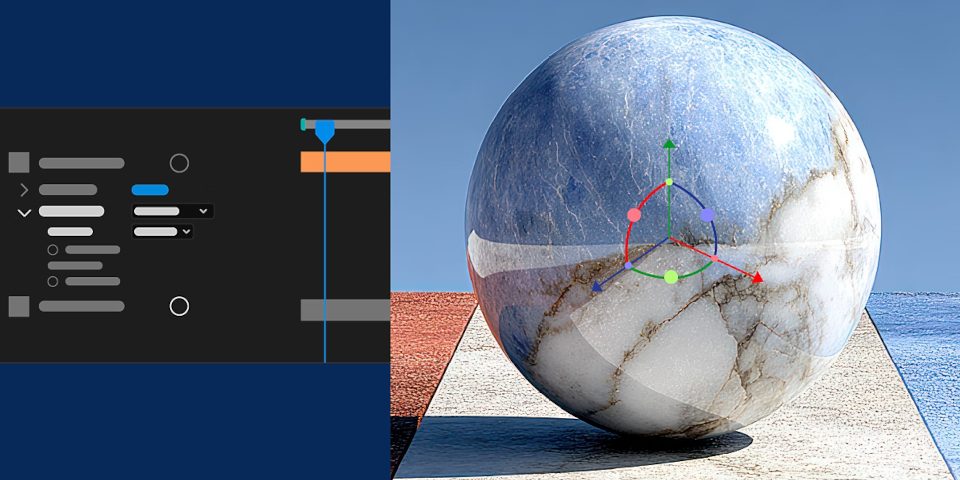
In beta: new options for materials on 3D objects
The current After Effects beta build also includes a couple of new 3D features, including the option to apply Substance materials to text and shapes, not just to standard 3D objects.
It is also possible to use layers as material sources when working with the Advanced 3D renderer, making it possible to generate textures from video layers, or even entire precomps.
Price and system requirements
After Effects 26.5 is available for Windows 11 and macOS 14.0+ on a rental-only basis. Single-app After Effects subscriptions cost $34.49/month or $263.88/year.
In the online documentation, the update is also referred to as the September 2026 release.
Read a full list of new features in After Effects 26.5 in the online release notes
Read a full list of new features in the current After Effects beta
Have your say on this story by following CG Channel on Facebook, Instagram and X (formerly Twitter). As well as being able to comment on stories, followers of our social media accounts can see videos we don’t post on the site itself, including making-ofs for the latest VFX movies, animations, games cinematics and motion graphics projects.