
Mixos lets you paint PBR textures in your web browser
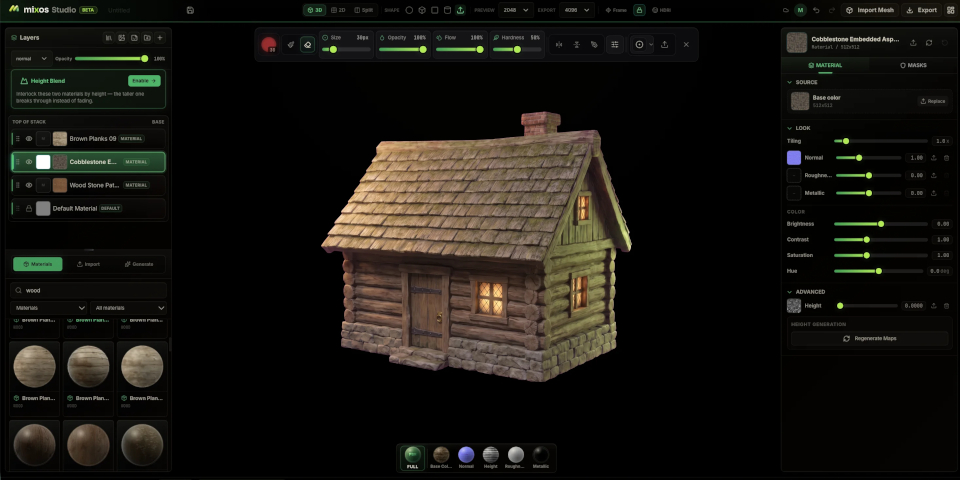
Need an easy way to do texture work on your travels? Check out Mixos.
The new WebGPU-based app makes it possible to create 4K PBR textures in a web browser, either painting them directly, or by mixing an existing library of over 2,600 CC0 materials.
Optional AI features make it possible to generate complete PBR texture sets from text prompts.
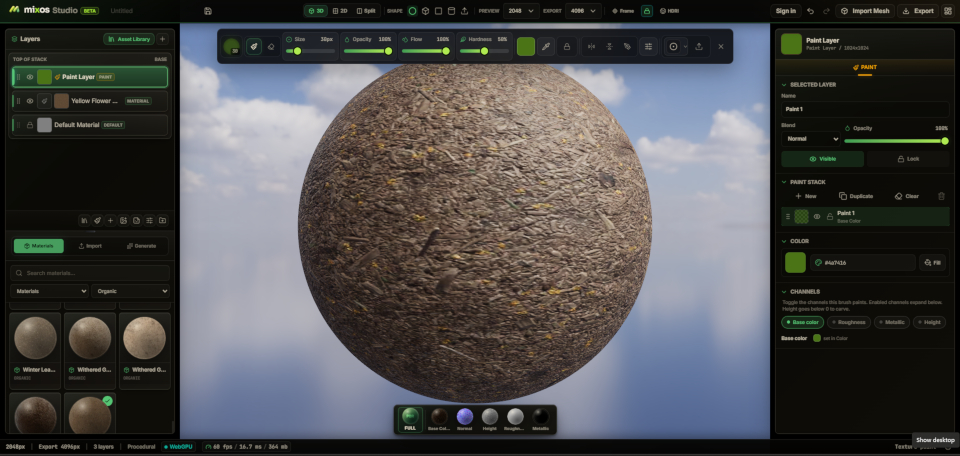
Paint PBR textures in a browser, or remix existing CC0 materials
Mixos includes most of the features you would expect in a 3D texture painting tool, just inside a browser window, rather running in an offline application.
Users can import 3D models in standard formats (FBX, OBJ, glTF/GLB) and paint textures onto them directly, using a range of brush modes, stamps, stencils, and projection painting.
As well as creating standard PBR texture maps – albedo, normal, roughness, metallic, height and opacity – users can bake geometry-derived maps like ambient occlusion and curvature.
It’s also possible to create textures by blending a built-in library of 2,600 readymade PBR materials, mainly from ambientCG and Poly Haven, using Mixos’s layer system.
The material-mixing toolset is also available as a separate web app, Strata.
Textured models can be saved locally, or you can export the texture maps at up to 4K resolution, for use in DCC apps or game engines like Blender, Cinema 4D, Maya, Unity and UE5.
AI tools for auto-texturing models or generating PBR materials
Mixos also offers generative AI workflows, making it possible to generate complete PBR materials, or individual textures, masks, alphas or decals, from text descriptions.
An Auto-Texture system automatically textures imported 3D models and generates test renders from a range of angles.
The AI features are credit-based, with paid subscriptions including a monthly quota of credits.
A lightweight, portable tool for less demanding texturing tasks
Although Mixos doesn’t have all of the features of offline material-authoring software like Adobe’s Substance 3D tools or the open-source ArmorPaint, a brower-based workflow does have advantages.
As well as not needing to have software installed, it doesn’t require a powerful machine: the only real hardware requirement is that your GPU is less than six years old.
If you often work remotely, tools like Mixos may provide a way to work on the move, or at least to make quick edits to materials when you don’t have access to your main machine.
Price and system requirements
Mixos is browser-based. It supports the Chrome, Edge, and Safari 18+ browsers on desktop, and should work with “any GPU from the past six years”.
Using the editor is free, as is saving scenes, but exported textures are watermarked, so to use Mixos in any professional project, you will need a paid Pro or Studio account.
Pro accounts cost $9/month or $84/year and include 100 AI credits per month. Studio accounts cost $19/month or $180/year and include 400 AI credits per month.
Use web-based 3D texture painting and material mixing tool Mixos
Have your say on this story by following CG Channel on Facebook, Instagram and X (formerly Twitter). As well as being able to comment on stories, followers of our social media accounts can see videos we don’t post on the site itself, including making-ofs for the latest VFX movies, animations, games cinematics and motion graphics projects.