
New 3D software you may have missed: 4 October 2026
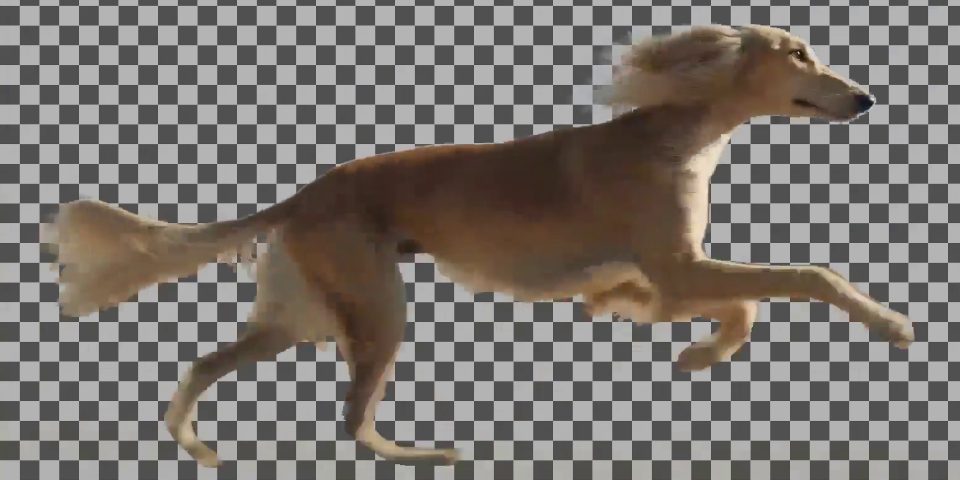
The background of a video clip removed using Alpha Gen, the experimental new alpha matte-generation component of VFX production-focused AI world model LTX-2.5.
While CG Channel tries to write about the major new versions of CG software released each week, sometimes there are smaller updates or useful plugins that we don’t manage to cover.
Rather then letting those releases slip past unnoticed, we’ve put together a round-up of updates to VFX, visualization and motion graphics tools that didn’t get full stories last week.
Below, you can find summaries of what’s new in motion graphics app Caddis, 3ds Max plugin RailClone, compositing plugin ReelSmart Motion Blur, and Reallusion’s RTX Render.
We’ve also included the VFX-focused updates to LTX-2.5, Lightricks’ AI world model for video production, and an entirely new tool – Photoshop for macOS Cryptomatte add-on CryptoEXR.
Caddis 1.1
Overview
Motion Designer Mike Gaynor has released “the biggest update I’ve shipped so far” to Caddis, his new motion graphics tool that combines node-based and layer-based workflows.
The biggest change is that Caddis now has a full particle system. It’s built on standard points and shapes, and supports particle collision, flocking, and the option to use fields as forces.
New features
- New particle system, built from ‘ordinary nodes’
- Loops, For Each and Switch controls: run parts of a node graph multiple times
- New Layout and Cell nodes create grids of rows and columns
- Supports Cryptomatte data in imported EXR files
- Supports nested comps
- New Precompose feature nests selected layers into a precomp
- Supports nine new AI models, including Nano Banana Pro and Seedance 2.5
Price and system requirements
No changes since our story on the the original release.
Read a full list of new features in Caddis 1.1 in the software’s Discord server
CryptoEXR
Overview
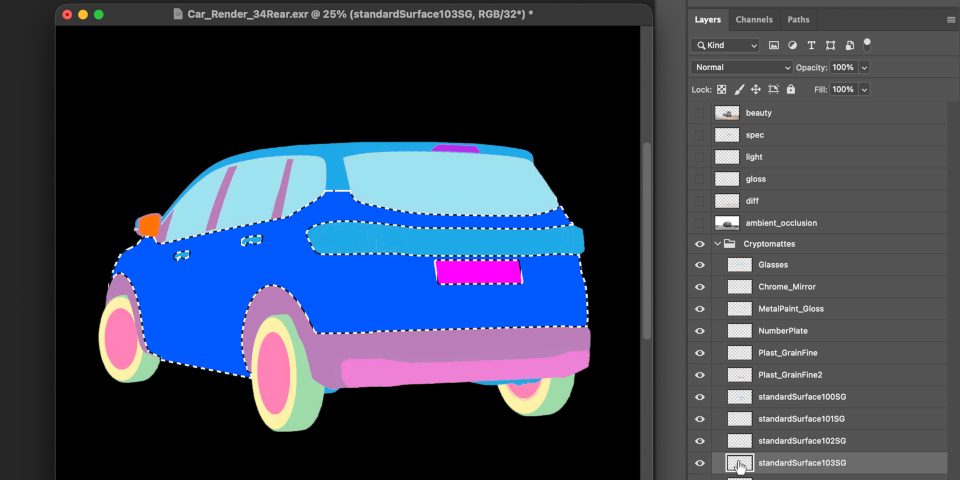
New plugin CryptoEXR is intended for one very specific task: making it easier for Mac users to work with Cryptomatte ID mattes inside Photoshop.
While free plugin Exr-IO lets Windows users import OpenEXR files with Cryptomatte data into Photoshop, there is no macOS equivalent – at least, not one that we’re aware of.
To work with Cryptomatte data in Photoshop, Mac users previously had to use a virtual Windows machine, or open and re-export the file from a compositing application.
Cryptomatte data is widely used in VFX and motion graphics, and can be generated by most renderers, including Arnold, Blender, Houdini’s Karma, OctaneRender, Redshift and V-Ray.
New features
- Open multi-layer EXR files with Cryptomatte data in Photoshop on macOS
- One layer per Cryptomatte material
- Cryptomattes are grouped automatically, split by type (Material, Object, Asset)
- Loads alphas as layer transparency or separate layers
- Option to filter out near-empty layers by setting minimum size threshold
Price and system requirements
CryptoEXR is compatible with Photoshop 2026 on macOS, on Apple Silicon Macs only. New perpetual licenses have a MSRP of €24. There is a free 30-day trial.
Read more about CryptoEXR for Photoshop on Gumroad
LTX (Video Week updates)
Overview
Lightricks did its ‘VFX week’: a week of VFX-focused updates on LTX-2.5, the latest of its family of AI world models.
LTX’s established use is generating “sychronized, high-fidelity video and audio from text, image, and video inputs” – to which, the updates added new capabilities for manipulating source video.
New features
- Native Resolution (new): run AI edits on high-res imported footage without dropping the resolution
- Refine (new): upscale video, rebuilding “detail a standard upsize misses”
- Restore (new): restores color balance in archival footage
- Alpha Gen (new in beta): generate alpha mattes from video – works for background removal from tricky shots featuring “hair, fur, smoke, fire, sheer fabric, glass and water”
- Layout to Render (new in beta): turn a 3D blockout into a rendered shot
- SDR to HDR (updated): less color drift, fewer artifacts
Price and system requirements
LTX-2.5 is an open model, so the IC-LoRA weights are open on Hugging Face. It can be run locally in ComfyUI.
Use inside LTX Studio, Lightricks web app, is priced on a credit basis. Content uploaded to the web app may be used to train AI models.
Read more about the new VFX Week features in LTX-2.5
RailClone 7.3.5
Overview
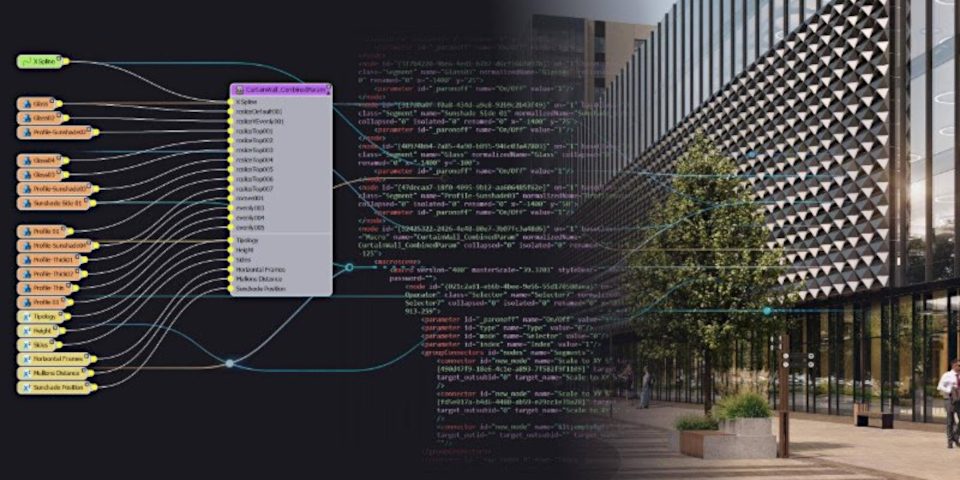
iTooSoft’s popular parametric modeling plugin for 3ds Max gets new MAXScript functions that expose RailClone graphs as XML for the first time.
According to iTooSoft, the change opens up experimental new AI-based workflows with LLMs like Claude and ChatGPT now “potentially [able to] inspect and modify RailClone graphs”.
Another recent update, RailClone 7.3.4, introduced RailClone Conform, for projecting RailClone geometry onto uneven surfaces.
New features
- New MAXscript functions for exposing RailClone graphs as XML
- Convert the current style to XML
- Assign a style in XML format
Price and system requirements
RailClone 7.3.5 is compatible with 3ds Max 2023+. New perpetual licenses cost $289, up $24 since the release of RailClone 7.
Read a full list of new features in RailClone 7.3.5 in the online changelog
ReelSmart Motion Blur 7
Overview
ReelSmart Motion Blur (RSMB), RE:Vision Effects’ motion blur plugin for compositing and video editing applications gets its biggest update since 2018.
New features
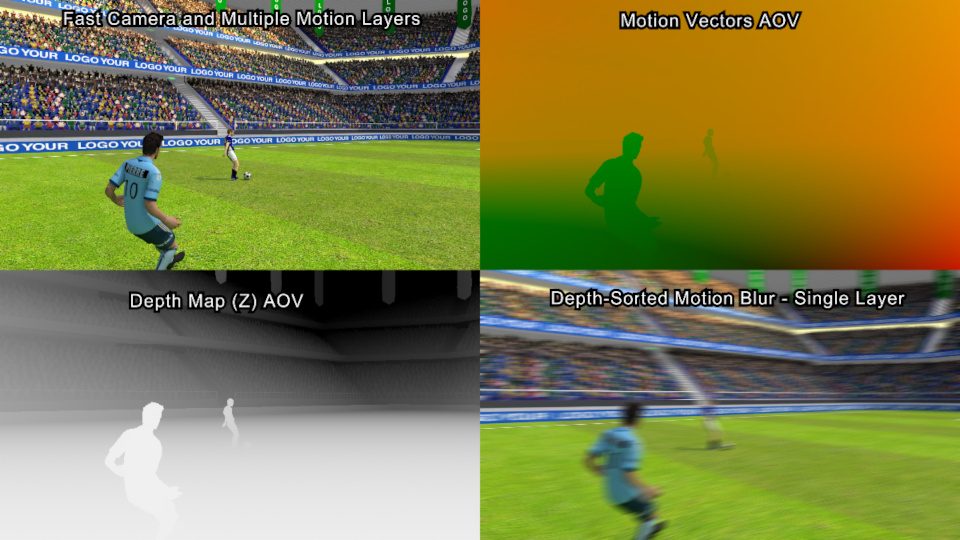
- Now generates motion blur from externally generated sequences of motion vectors
- New Depth-Sorted Motion Blur system: works better in shots with fast motion, and avoids complex layer setups
- Options to track Previous vs Next Frame in all hosts, not just OFX applications
- (Pro edition only) New Alpha Boost option for the foreground layer helps in shots with extreme blur or very fast motion
Price and system requirements
ReelSmart Motion Blur is compatible with host apps including After Effects, DaVinci Resolve, Fusion Studio and Nuke. The standard edition costs $109.65; the Pro edition costs $169.95.
Read a list of new features in RSMB 7
(The link is to the notes for the After Effects edition)
RTX Render Beta 3
Overview
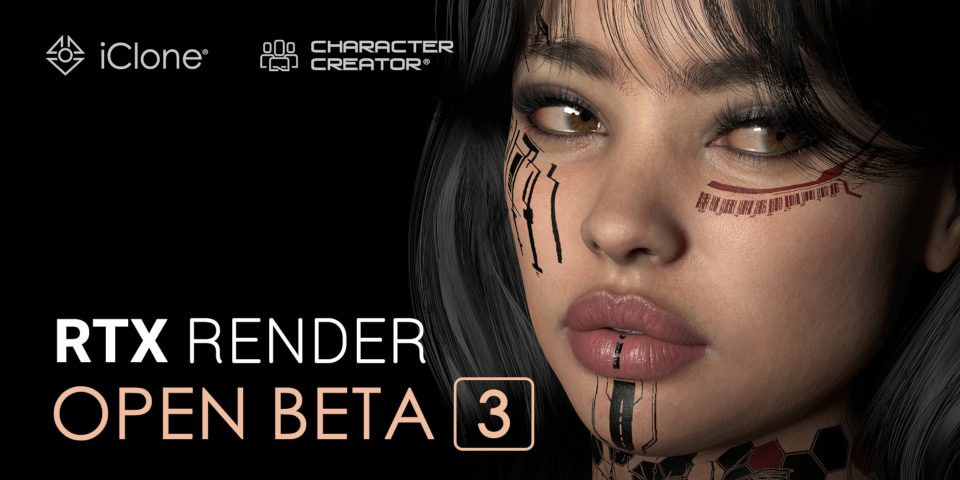
The experimental path traced rendering mode for Character Creator and iClone, Reallusion’s character creation and rendering tools, gets its biggest update since its original release.
RTX Render is currently available in open beta via separate builds of Character Creator and iClone, and will eventually become available via free updates to both applications.
New features
- Support for Depth of Field and Bokeh lens effects
- New ‘sensor shift’ system mimics real-world tilt-shift lens effects
- Presets for common real-world lens types
- AgX viewport tonemapping (replaces sRGB tonemapping)
- Substance material parameters can now be animated
- Volumetric lighting now supported for Point and Spot lights
- IBL: separate controls for World Lighting and World Background
- New controls for lens flares and render denoising
- Render quality can now be set independently for Preview and Final renders
- Support for Transmission, Coat, Sheen, Emissive, Specular and SSS render passes
Price and system requirements
No changes since our story on the original release.
Read a full list of new features in RTX Render Beta 3 on Reallusion’s forum
Have your say on this story by following CG Channel on Facebook, Instagram and X (formerly Twitter). As well as being able to comment on stories, followers of our social media accounts can see videos we don’t post on the site itself, including making-ofs for the latest VFX movies, animations, games cinematics and motion graphics projects.