
Maxon releases ZBrush 2027.0 and ZBrush for iPad 2027.0
Maxon has released ZBrush 2027.0, the latest version of its digital sculpting software, widely used for concept art, creature design, game development and visual effects.
The desktop edition of the software gets a new UV Editor, based on the same underlying technology as the one in Cinema 4D, plus support for Selection Sets.
The iPad edition gets support for the Spotlight and 3D Layers systems from the desktop edition.
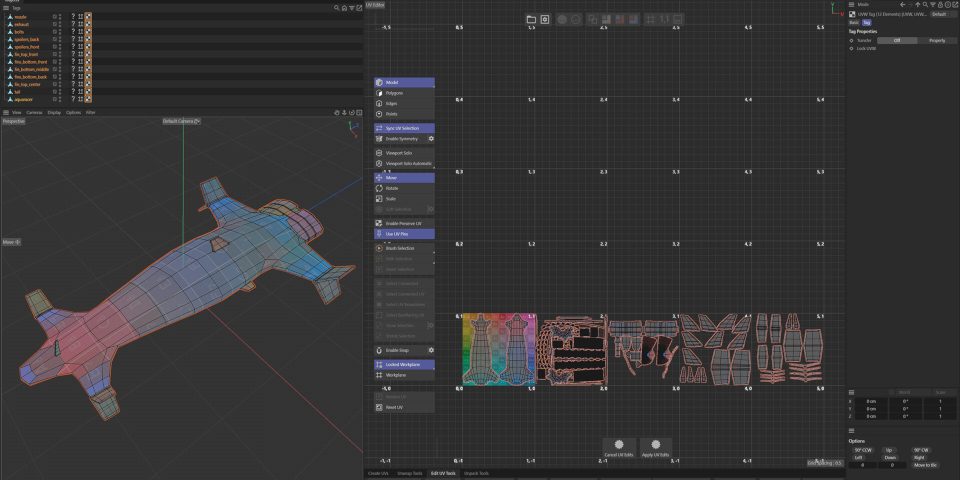
ZBrush 2027.0: new UV Editor based on the one in Cinema 4D
The main new feature in ZBrush 2027.0 is one that Maxon previewed at ZBrush Summit last year: the new UV Editor.
It’s based on the same technology as the one in Cinema 4D, Maxon’s 3D modeling and animation software, which the company revamped last year.
It is intended to enable artists to do more work inside ZBrush while iterating on a sculpt, reducing the back-and-forth with DCC applications like Cinema 4D itself.
The ZBrush version provides three options for automatically UV unwrapping sculpts, including one unique to ZBrush: to Unwrap by Polygroup.
Other than that, the functionality is similar to that in Cinema 4D, including tools for editing UV layouts manually, adjusting UV packing, and controlling texel density.
The new UV Editor also supports UDIM-based workflows, widely used in VFX workflows, while games artists get support for trim sheet workflows.
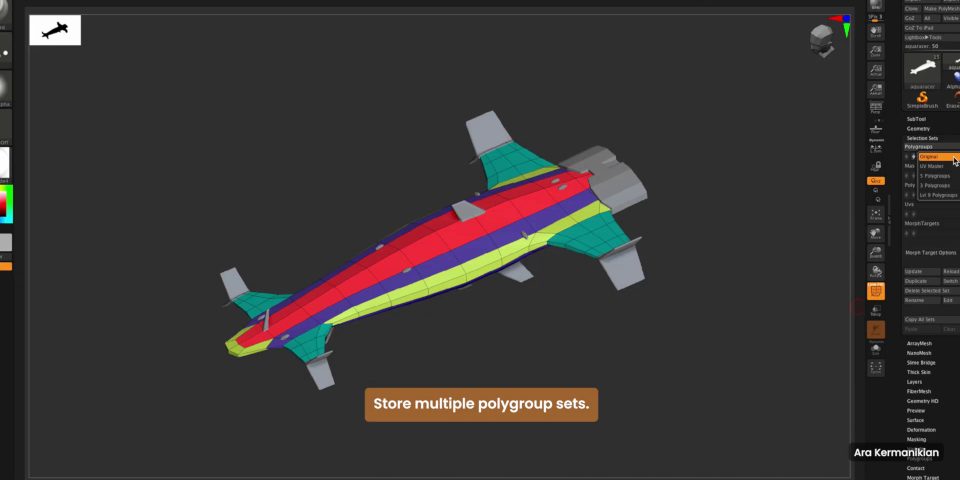
Support for Selection sets, and small updates to Spotlight and 3D Layers
The other major change is support for Selection Sets.
In other DCC applications, Selection Sets store alternate selections of vertices or faces on an asset, making it possible to save and toggle between presets.
ZBrush takes the workflow further, storing alternate versions of a SubTool’s Polygroups, masks, Polypaint states, UVs and morph targets.
Suggested use cases include toggling between Polygroup layouts for UV work and for posing a character, and for toggling between alternate color schemes for an asset during client reviews.
Updates to existing features include a new Delete option for clearing stored images in Spotlight, ZBrush’s projection texturing system, and the option to bake the current 3D Layer.
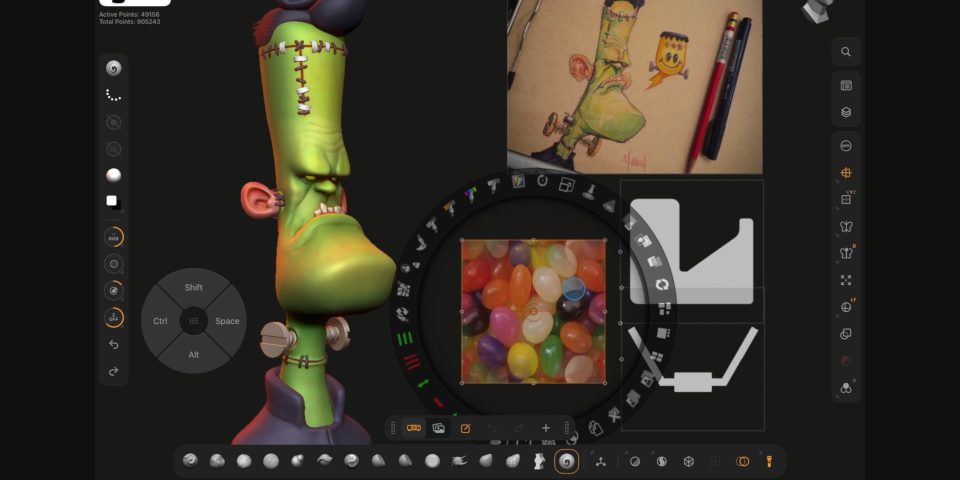
ZBrush for iPad 2027.0: support for Spotlight and 3D Layers
ZBrush for iPad, the new-ish iPad edition of the software, takes a couple of steps closer to feature parity with the desktop edition.
The new features supported on iPad are the ones updated in the desktop edition: Spotlight for projection painting, and 3D Layers, for organizing sculpts and editing them non-linearly.
Price and system requirements
ZBrush 2027.0 is compatible with Windows 11 and macOS 15.0+. It is rental-only. ZBrush subscriptions cost $49/month or $399/year, and include ZBrush for iPad.
ZBrush for iPad is compatible with iPadOS 17+, and is available on iPad models with A12 Bionic or later processors.
The base app is free; access to the full feature set requires a paid subscription, which costs $9.99/month or $89.99/year.
Read a full list of new features in ZBrush 2027.0 in the online release notes
Read a full list of new features in ZBrush for iPad 2027.0 in the App Store changelog
Have your say on this story by following CG Channel on Facebook, Instagram and X (formerly Twitter). As well as being able to comment on stories, followers of our social media accounts can see videos we don’t post on the site itself, including making-ofs for the latest VFX movies, animations, games cinematics and motion graphics projects.