
Maxon releases ZBrush 2026.1 and ZBrush for iPad 2026.1
Maxon has released ZBrush 2026.1, the latest version of its digital sculpting software, widely used for concept art, creature design, game development and visual effects.
The release adds a new Retopo brush for retopologising sculpts, and updates the IMM Viewer.
The iPad edition of the software has also been updated, with ZBrush for iPad 2026.1 getting a photogrammetry system for generating low-res meshes from photos of real-world objects.
ZBrush 2026.1: new Retopo brush
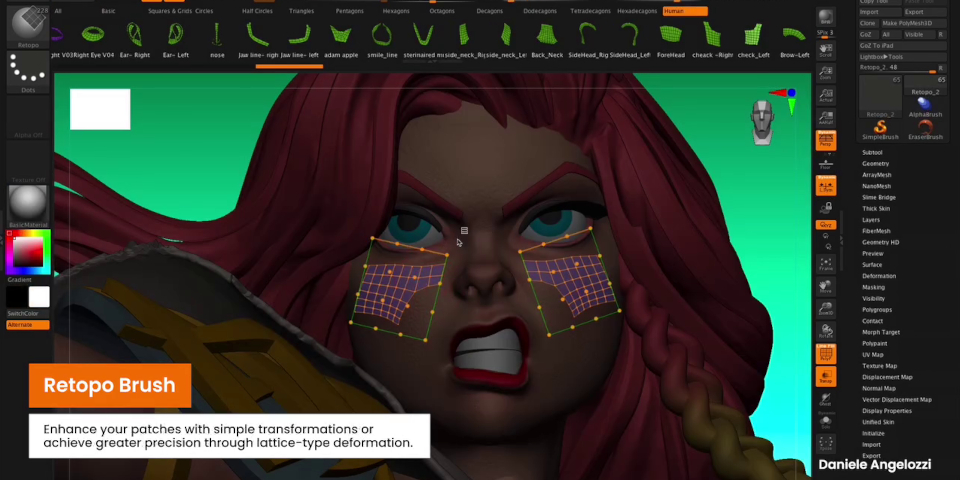
The main new feature in the desktop edition is the Retopo brush: a new tool for generating clean, low-resolution geometry from a high-res sculpt.
Unlike many of ZBrush’s existing retopology options, it isn’t an automated system: instead, you draw the new geometry over the surface of the sculpt, as you can in DCC applications like Maya, or in specialist tools like TopoGun, providing more precise control over the results.
The new geometry can contain both tris and quads, and can be created as a new Subtool, leaving the original sculpt intact.
There are a number of ways to add or adjust geometry, ranging from placing new vertices individually to drawing out entire new sets of faces around the edges of existing patches.
ZBrush ships with over 220 readymade patches that can be dragged and dropped onto models, ranging from simple quad grids to body parts like eye loops, and even entire characters.
Maxon previewed the tool at ZBrush Summit earlier this year, so you can see the workflow in more detail in the recording of the livestream embedded in this story.
ZBrush 2026.1: updates to the IMM Viewer and where user data is saved
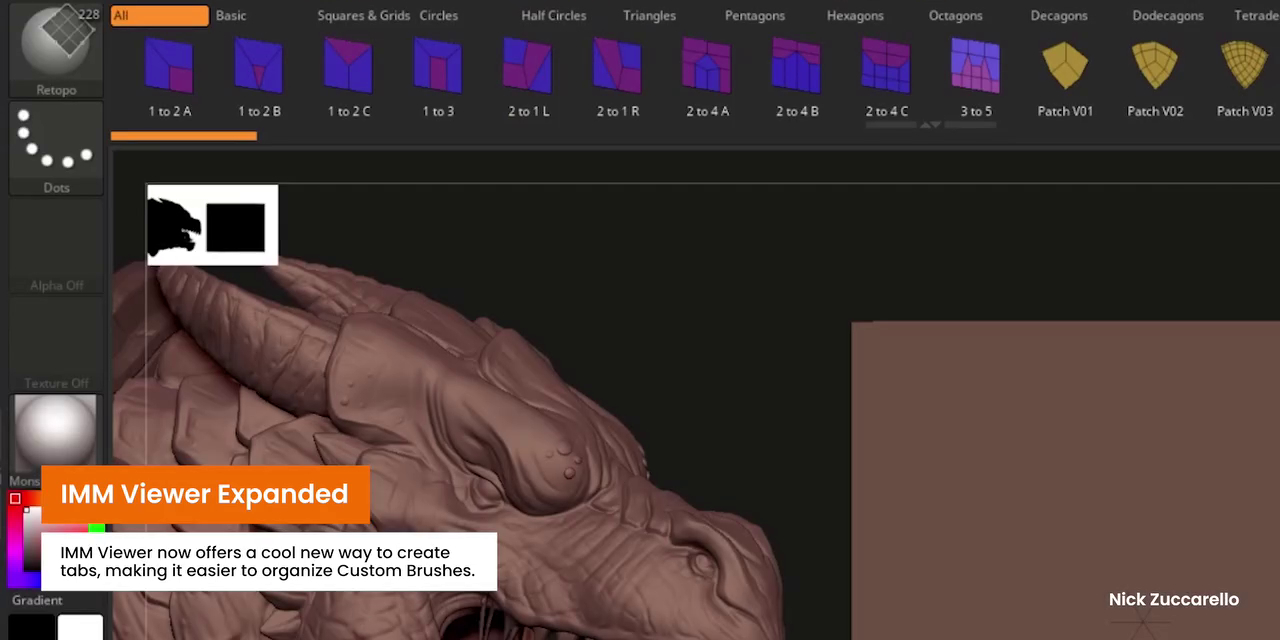
Other changes to the desktop edition include the ability to create tabs in the IMM Viewer, making it easier to organize compatible content, which includes the new retopology patches.
The software also now stores data like plugins, custom brushes, UI layouts and hotkey settings in a single user folder, rather than to the main ZBrush folder.
Maxon says that the change is necessary for upcoming development work, but should also make it easier for studios to manage custom setups across multiple artists.
ZBrush for iPad 2026.1: new photogrammetry system
ZBrush for iPad gets the new features from the desktop edition, with the obvious exception of user folders, plus a couple of new features in its own right.
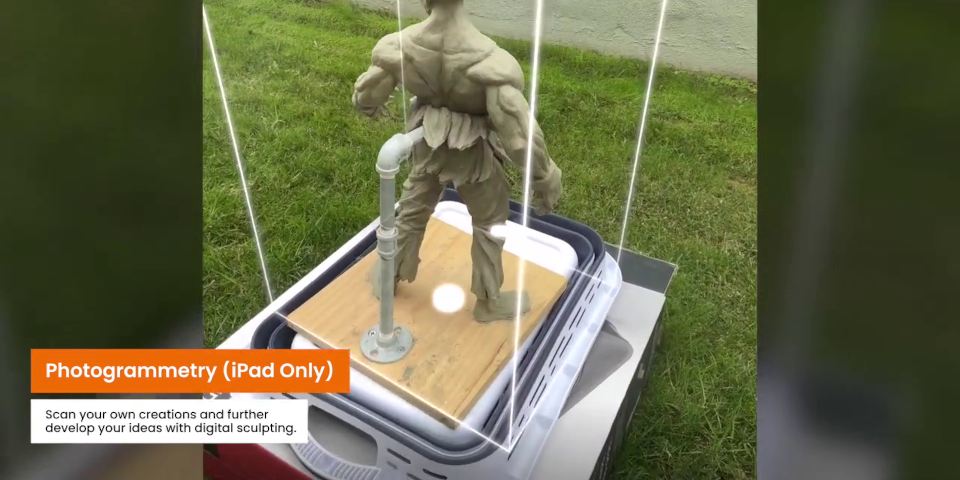
The biggest is a new photogrammetry toolset, which makes it possible to generate 3D models of real-world objects scanned using the iPad camera.
A new Capture button in the UI begins the capture process, with ZBrush displaying a real-time preview as the scan is built up, plus automatic notifications to guide the process.
According to Maxon, it takes a “couple of minutes” to process the data and generate a 3D model, which comes in as a triangulated 3D mesh complete with textures.
The raw asset can then be refined using ZBrush’s standard sculpting tools.
ZBrush for iPad 2026.1: workflow improvements
Workflow improvement include a new quick search system for finding tools and settings, with users able to launch a new dedicated search UI by tapping on a magnifying glass icon.
They can then search for tools by entering keywords, and either launch the tool or adjust its key settings from within the search results.
The maximum resolution for viewport renders has been raised to 4K, with new preset dimensions and aspect ratios geared towards sharing previews of a sculpt on social media.
It is also now possible to import multiple brushes, alphas and textures in one go.
Price and system requirements
ZBrush 2026.1 is compatible with Windows 10+ and macOS 14.0+. It is rental-only. ZBrush subscriptions cost $49/month or $399/year, and include ZBrush for iPad.
ZBrush for iPad is compatible with iPadOS 17+, and is available on iPad models with A12 Bionic or later processors. Photogrammetry requires an A14 Bionic processor or later.
The base app is free; access to the full feature set requires a paid subscription, which costs $9.99/month or $89.99/year.
Read a full list of new features in ZBrush 2026.0 in the online release notes
Read a full list of new features in ZBrush for iPad 2026.0 in the App Store changelog
Have your say on this story by following CG Channel on Facebook, Instagram and X (formerly Twitter). As well as being able to comment on stories, followers of our social media accounts can see videos we don’t post on the site itself, including making-ofs for the latest VFX movies, animations, games cinematics and motion graphics projects.