
Canva releases first major update to its free Affinity software
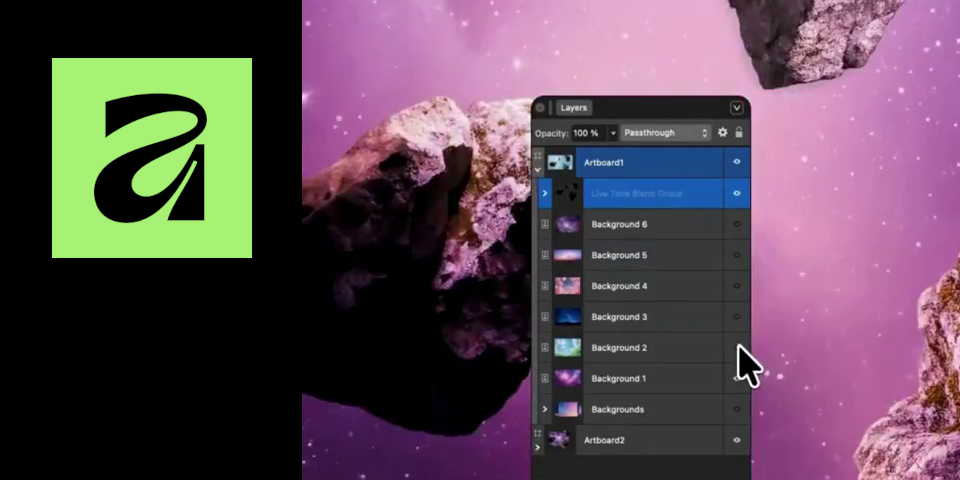
Canva has released its first major update to Affinity, its new free application that combines the functionality of Affinity Photo, Affinity Designer and Affinity Publisher, into a single product.
The March 2026 update adds features across all three toolsets, including a new Tone Brush, and a new Live Tone Blend Group to simplify the process of compositing images into backplates.
It is also now possible to create curves from bitmap selections, helping to create masks.
A new free application that unifies the old Affinity tools
The March 2026 release – when you log into the software, it’s Affinity 3.1 – is the first major update to the new Affinity software since it was released last year.
It combines the functionality of the old Affinity tools – Affinity Photo for image editing, Affinity Designer for vector design and Affinity Publisher for page layout – into a single, unified application, dividing it up into separate ‘Studios’ within the interface.
Although you need a paid subscription to use Canva’s online AI tools, which can be accessed within the software, all of that core functionality is free.
Canva describes it as “the full professional-grade Affinity experience” with “no catch, no stripped-back version, and no gotchas”.
Live Tone Blend Groups help composite objects into backgrounds
When the new application was released last year, Canva said that it would continue to release updates to it for free, and the March 2026 release makes good on that promise.
There are a lot of new features, but one that will be particularly relevant to CG Channel readers is the Live Tone Blend Group.
It is intended to simplify the process of compositing still images, automatically blending the layers contained inside the group with the underlying content, so that the color and tonal values of foreground elements match the background, as shown in the video above.
New Tone Brush paints adjustments into images non-destructively
For compositing and retouching work, the new Tone Brush tool makes it possible to paint brightness, contrast and color adjustments onto an image non-destructively.
It has three modes – Dodge/Burn, Blend and Inverse Blend – for different adjustment types, and “continuously analyzes” the underlying layers as you paint, so that edits are made in context.
Strokes created with the Tone Brush are automatically applied as new layers.
Other new features and workflow improvements
Other key changes include the option to convert pixel selections to curves: a feature primarily aimed at designers, but also useful for creating masks for compositing.
Photographers get a choice of tone curves within Develop Studio, Affinity’s RAW image processing environment.
Workflow improvements include the option to right-click to access the brush menu, and a new light UI theme, as an alternative to the default dark gray.
Price and system requirements
Affinity by Canva is available for Windows and macOS. The core application is free. To download it, you will need to register for a free online account.
To use Canva’s AI tools inside Affinity, you need a paid Canva subscription. Pro subscriptions cost $120/year; Business subscriptions cost $200/year. See a feature comparison table.
Read a full list of new features in Affinity in the online release notes
Download the new Affinity software
(Includes the online FAQs about the new edition)
Have your say on this story by following CG Channel on Facebook, Instagram and X (formerly Twitter). As well as being able to comment on stories, followers of our social media accounts can see videos we don’t post on the site itself, including making-ofs for the latest VFX movies, animations, games cinematics and motion graphics projects.