
Photoshop’s Rotate Object lets you rotate 2D images in 3D
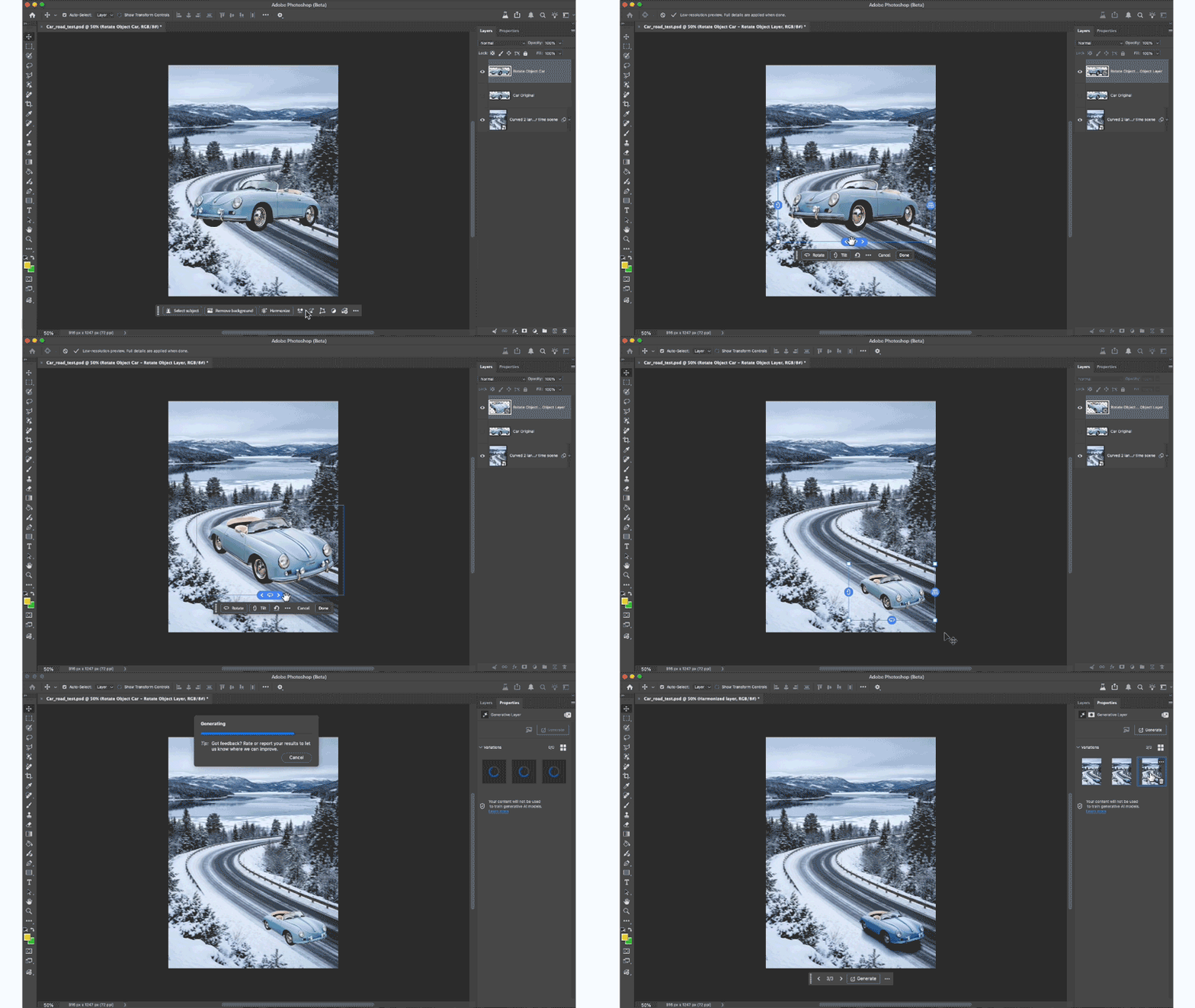
Adobe has released a new beta build of Photoshop that adds Rotate Object: a new AI-based feature that makes it possible to rotate 2D images as if they were 3D objects.
Turn cutout 2D objects into ‘rotatable 3D images’
Rotate Object got a lot more attention online than most Photoshop beta features when Adobe rolled it out earlier this week, probably because it’s such an intuitively useful tool.
It enables users to convert a standard 2D image – ideally a cutout object – into a “rotatable 3D image”, making it possible to transform it to match the perspective of a background plate.
In his demo video, Adobe Principal Director Evangelist Paul Trani describes it as an “absolute game changer”, making it possible to generate rough still composites very quickly.
However, like other AI tools in Photoshop, it consumes generative credits, and it’s one of the more expensive operations available, at 20 credits per use.
For context, single-app Photoshop subscriptions currently provide 25 free generative credits per month: additional credits require a separate Firefly subscription.
Price, system requirements and release date
Rotate Object is available in the current Photoshop beta. Beta builds are available free to Photoshop subscribers via Adobe’s Creative Cloud desktop app.
Adobe hasn’t said when it expects the feature to make it into a stable release.
You can find details of system requirements and pricing in this story on Photoshop 27.4.
Read more about Rotate Object in the Photoshop beta community
Read more about the other features in the beta version of Photoshop
Have your say on this story by following CG Channel on Facebook, Instagram and X (formerly Twitter). As well as being able to comment on stories, followers of our social media accounts can see videos we don’t post on the site itself, including making-ofs for the latest VFX movies, animations, games cinematics and motion graphics projects.