
Tutorial: Multipass rendering in Maya and Mental Ray
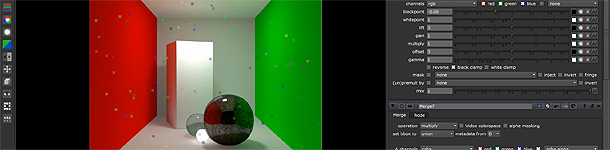
This tutorial shows a workflow for rendering 3D scenes in separate passes and compositing these renderings for finer control. The 3D rendering will be done in Maya, using Mental Ray and its “mia_x_Passes” materials, that allow the output of all information used by the shader at render-time. The compositing of these renderings will be done in Nuke using OpenEXRs in a linear workflow.
- Introduction
- Separating scene elements in contribution maps
- Separating passes for each contribution map
- Saving multi-layer OpenExr files
- Compositing shaders in Nuke
- Writing custom color buffers
Chapter 1 – Introduction
Chapter 2 – Contribution Maps
Chapter 3 – Passes
Chapter 4 – Multi-layer OpenEXR files
Chapter 5 – Compositing shaders in Nuke
Chapter 6 – Writing custom color buffers
Author Bio
 Gustavo Eggert Boehs has a degree in Graphic Design by the Federal University of Santa Catarina,Brazil. He has also atended a one year 3d animation course at Melies, during this time he directed and produced from start to finish his animated short “Chicken’o’Matic”. He now works at a post house in Brazil called Ilegal FX as a Generalist 3d artist.
Author’s Website
http://www.gustavoeb.com.br/blog